


The complete DTF Pro Starter Kit for Epson ET-8550 / ET-8500
ET-8550/8500 DTF Pro Business Starter Kit
5.0 from 3 reviewsThe professional's way to convert the Epson 8550. No drilled holes or messy external tubes. Everything you need for clean setup and high-quality prints, tested together.
- CADlink Digital Factory 12 RIP software
- Premium DTF inks, 1 L each (C, M, Y, K, W)
- A3 DTF film, 100 sheets
- Premium DTF powder, 1 kg
- 30-minute expert support session
Worth $959.96 bought separately. You keep $210.96.
In stock and ready to ship
Epson printer not included. Works with your Epson ET-8550 or ET-8500.
- Satisfaction guaranteed
- Secure payments
- Same-day dispatch before 12 PM PST
Product code: DTF-8550-StarterKit
What's in the box
Five items that work together, for less than buying them separately.
CADlink Digital Factory 12 RIP software
Industry-standard DTF RIP software. Controls the white ink underbase, colour management and print queues, and enables Roll Mode printing.
Value$449.99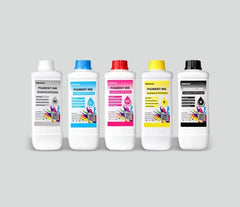
Premium DTF inks, 1 litre each (C, M, Y, K and W)
Vivid, wash-resistant pigment inks formulated for ET-8550/ET-8500 printheads. Sharp colour, deep blacks and strong adhesion on cotton, polyester and blends.
Value299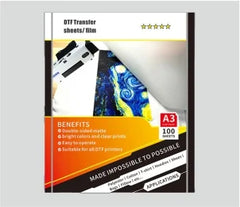
Double matte cold peel A3 DTF film, 100 sheets
High-release PET film for crisp, detailed transfers. Cold peel for clean application without ghosting or tearing.
Value$88.99
Premium DTF hot-melt powder, 1 kg
Fine-grain, low-cure adhesive powder for strong, flexible, wash-durable transfers. Works with cold and warm peel films.
Value$21.99
30-minute 1-on-1 technical support session
A live call with our team to set up your printer and CADlink queues and troubleshoot your first prints. No DTF experience needed.
Value$99.99

Four parts, one working system
Every component is tested against the others on the ET-8550, so the software, ink, film and powder work together from the first print.
CADlink Digital Factory 12
Professional RIP software, not a free workaround. It manages the white ink underbase precisely and enables Roll Mode printing.
Premium DTF Gears ink
Formulated to prevent clogging in ET-8550 printheads. Vivid, wash-resistant pigment with a wide gamut and deep blacks.
Premium film and powder
A3 film and high-stretch adhesive powder that give a soft, retail-ready feel instead of a stiff plastic patch.
Expert technical support
A 30-minute one-on-one session with our technical team to set up CADlink and get your first prints right.
From box to first shirt
-
Set up with our team
Install CADlink Digital Factory on your Windows PC, then use your 30-minute support session to set up print queues.
-
Print onto film
Print your design onto the A3 DTF film. CADlink adds the white ink underbase automatically.
-
Powder and cure
Cover the wet print with hot-melt powder, shake off the excess and cure it.
-
Press and peel
Press onto the garment, let it cool, peel the film, then press again for durability.
See it working
Check it fits your setup
Check these before you order so your first print goes smoothly.
Works with
- Epson ET-8550
- Epson ET-8500
- Epson L1800
- Epson L805
- Other DTF-modified Epson EcoTank printers
You'll also need
- A compatible Epson printer
- A Windows laptop or desktop PC (Mac isn't supported)
- A heat press
- A Teflon sheet
Made for
- Custom t-shirt printing
- Garment decoration
- Small business DTF setup
- Home DTF studio
- Print-on-demand businesses
What buyers say
With the help of outstanding guidance, I was able to resolve all my problems. I'm very satisfied and truly glad I chose the full DTF Gears ET-8550/8500 DTF Pro Business Starter Kit.
A great investment — easy to set up, highly practical, and excellent value for the price. The kit delivers exactly what you need to get started with confidence.
Every penny is well spent with this kit. It combines user-friendly operation with reliable, real-world performance and equips you with everything needed to get started with confidence.
Getting started with DTF printing
What do I need to start a DTF printing business?
You'll need a compatible Epson EcoTank printer (ET-8550, ET-8500 or XP-15000), a complete DTF starter kit including film, powder, inks and RIP software, a heat press, and a Teflon sheet.
Our starter bundle includes everything except the printer and press, so you can launch quickly with confidence.
Do I need special ink for DTF printing?
Yes. DTF printing requires specially formulated white and CMYK inks. DTF Gears inks are designed for vibrant colours, smooth flow and reliable performance in modified EcoTank printheads.
Software & compatibility
What software is required for DTF printing?
You'll need RIP software like CADlink Digital Factory to manage white ink layers, colour accuracy and print settings for professional results.
Can I use a Mac for DTF printing?
No. You'll need a Windows laptop or Windows desktop PC to run the RIP software for this setup.
Setup & maintenance
How do I set up my DTF printer?
DTF Gears provides detailed setup guides, video tutorials and optional one-on-one support to help you get started quickly and correctly. Your kit includes a 30-minute session with our technical team.
How do I maintain my DTF printer?
Regular maintenance includes daily ink movement, nozzle checks and occasional printhead cleaning. Proper care ensures long-term performance and consistent print quality.
How do I prevent white ink clogging?
Shake white ink daily, print regularly to keep ink flowing, and keep your printer powered on. Perform nozzle checks frequently, clean only when needed, and maintain proper humidity (40–60%) to reduce clogging.
Printing & application
How do I apply a DTF transfer to a shirt?
Print your design on DTF film, apply powder, cure the print, press onto the garment, let it cool, peel, and repress for durability.
Our bundle includes step-by-step instructions for consistent results.
What type of film should I use?
Use high-quality DTF transfer film for strong adhesion and vibrant output. DTF Gears offers premium film tested for professional use.
What fabrics work best for DTF printing?
DTF works on cotton, polyester, blends and more — making it ideal for t-shirts, hoodies and a wide range of apparel.
Everything you need, tested together
One box, one support session, one setup that works. Still deciding? Tell us what you plan to print and we'll give you a straight answer.
