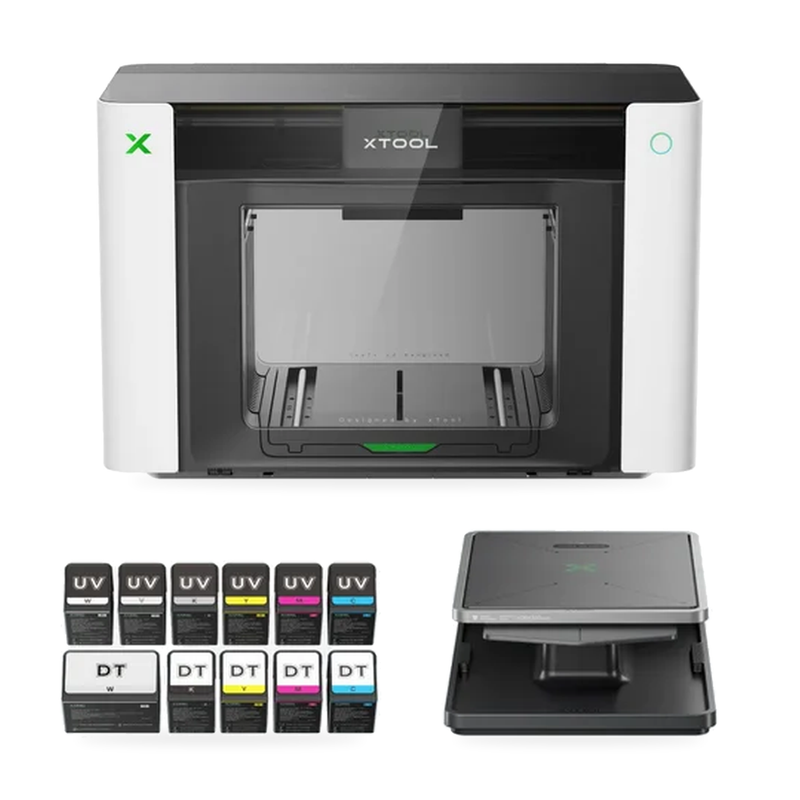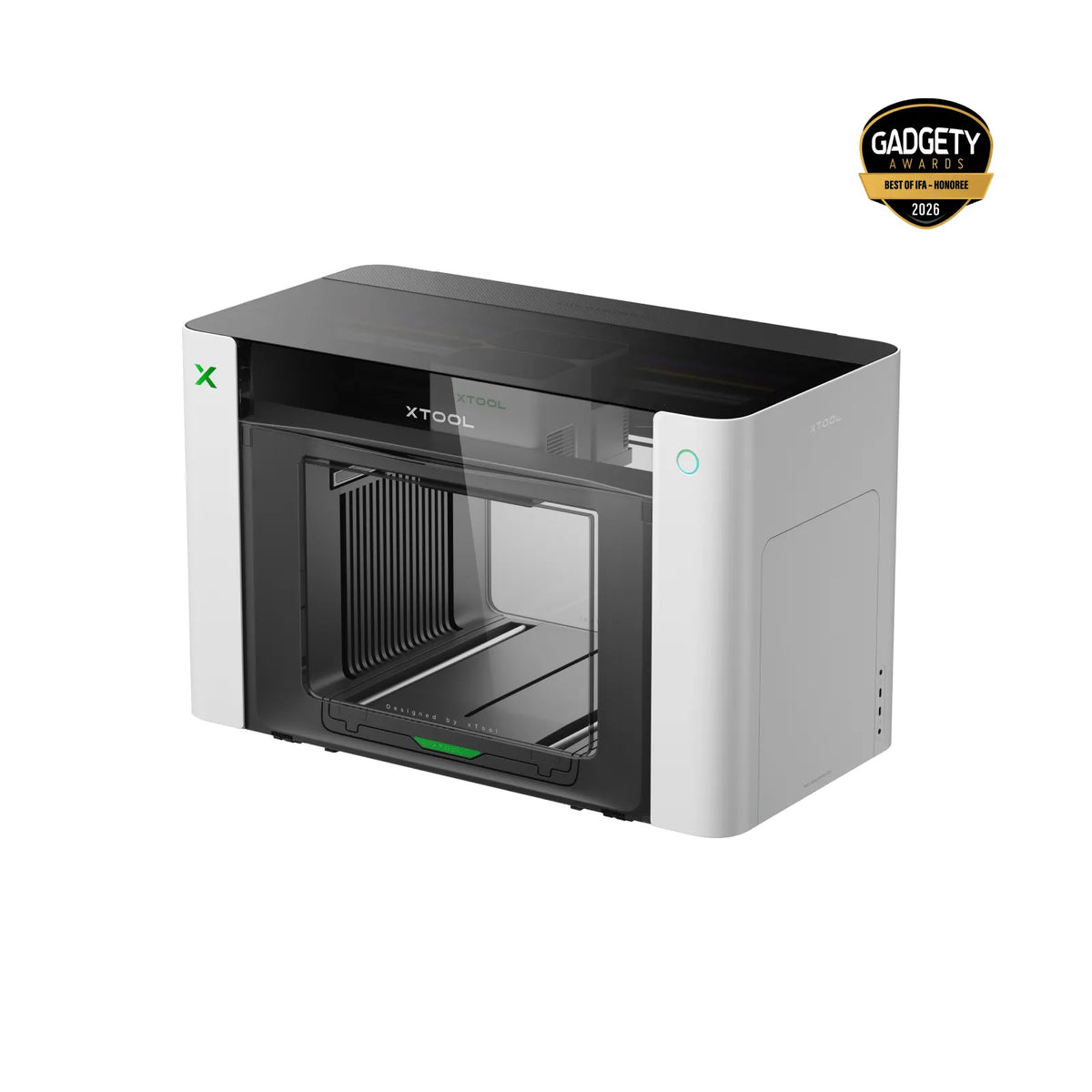
xTool O1 Omni

4-in-1 UV, UV DTF, DTF & Fabric Printer

A versatile desktop printing platform for small businesses, makers, print shops and entrepreneurs — print direct to objects, make transfers and decorate apparel from one machine.

  • UV
  • UV DTF
  • DTF
  • DTG / Fabric
  • Direct-to-object
xTool O1 Omni printer

Bundles from $2,499.00· Flexible financing available· U.S.-based support

4-in-1UV · UV DTF · DTF · DTG
A3+13" × 16.5" print area
7mmRaised 3D texture
±0.2 mmPixel-Scan™ accuracy

Key features

Everything one desktop printer can do

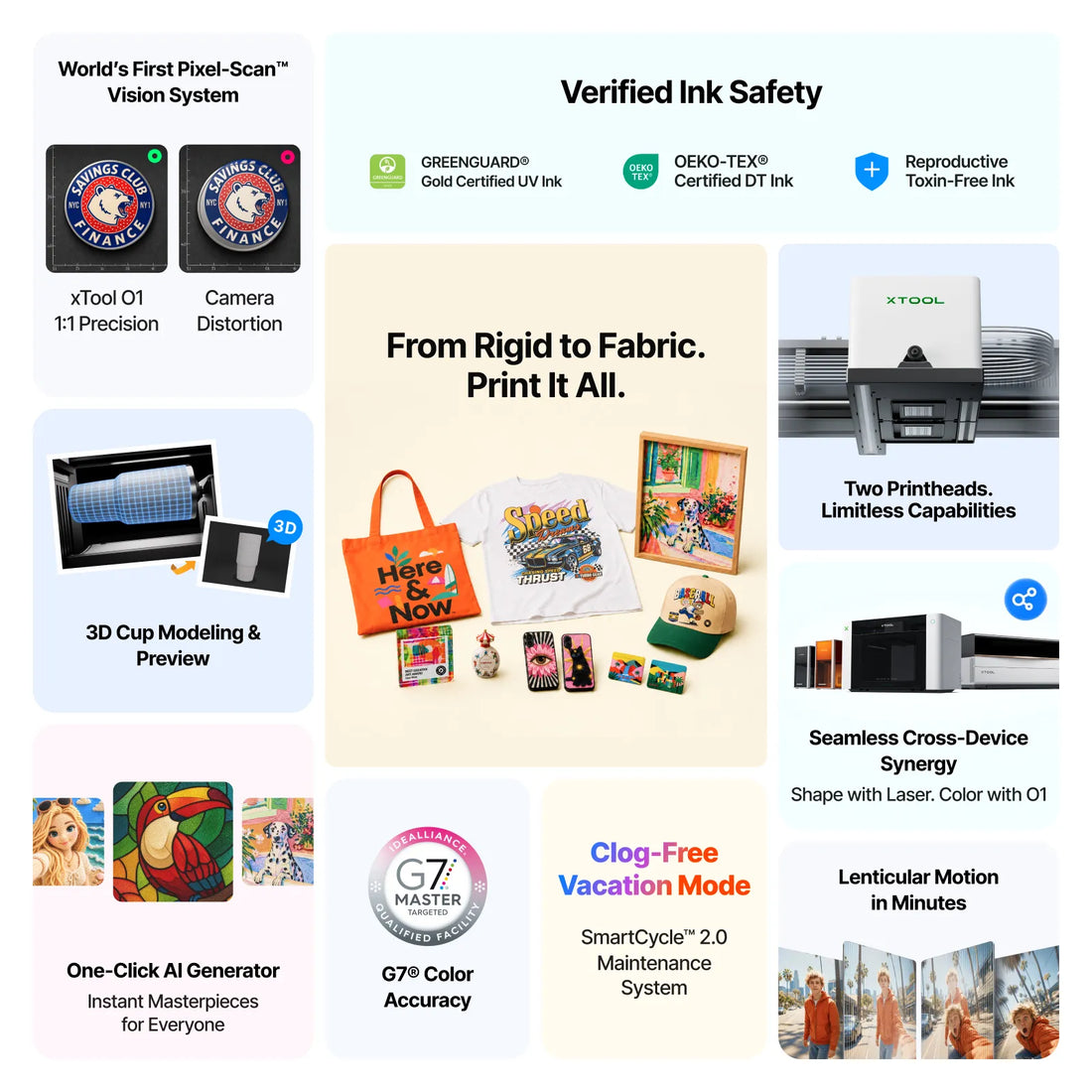
With an A3+ print area, Pixel-Scan™ alignment, raised 3D texture up to 7mm and three configurations, the O1 Omni gives your business a flexible way to produce personalized products, promotional merchandise, apparel, décor and custom gifts.

4

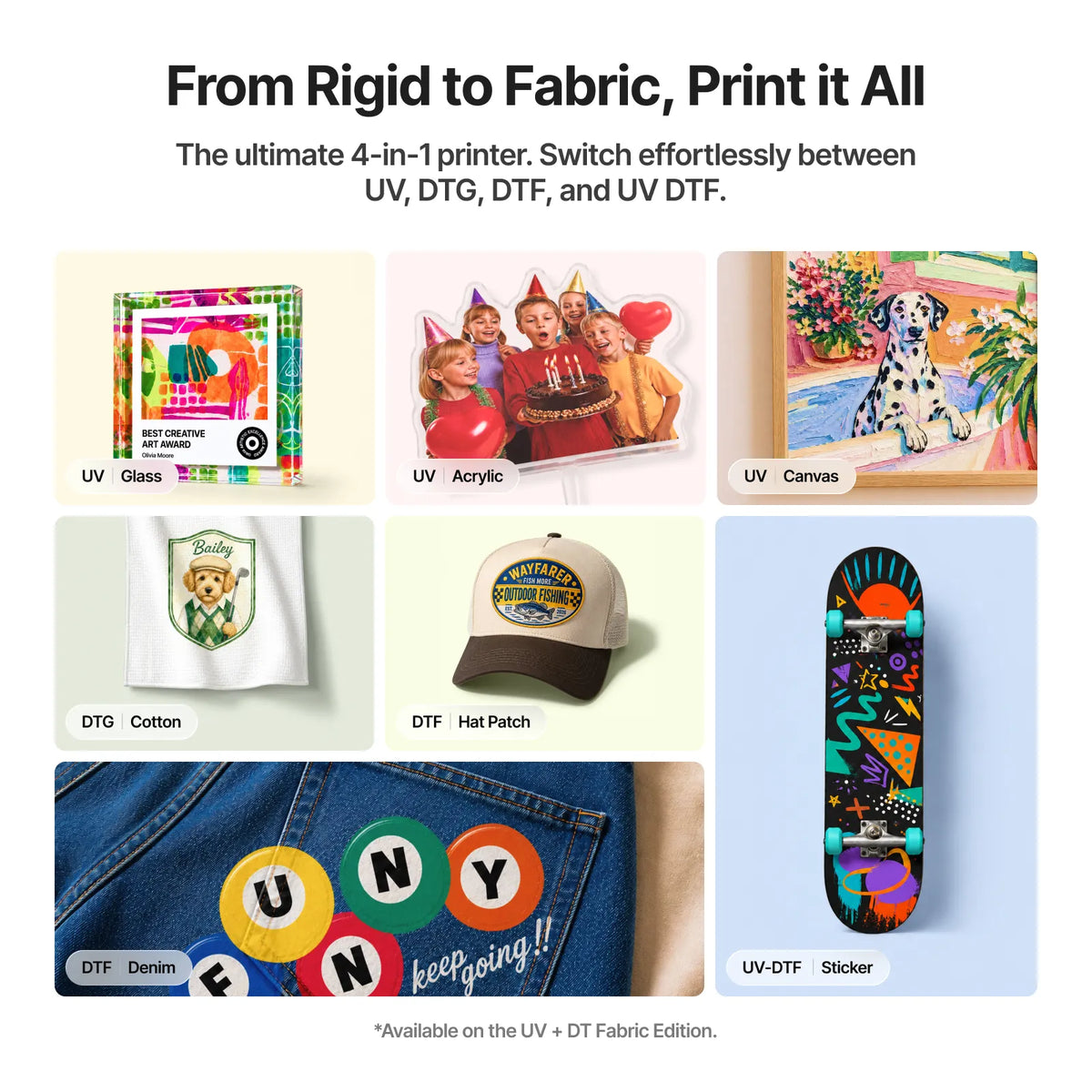
4-in-1 printing platform

Supports UV, UV DTF, DTF and DTG/fabric printing depending on the selected configuration.

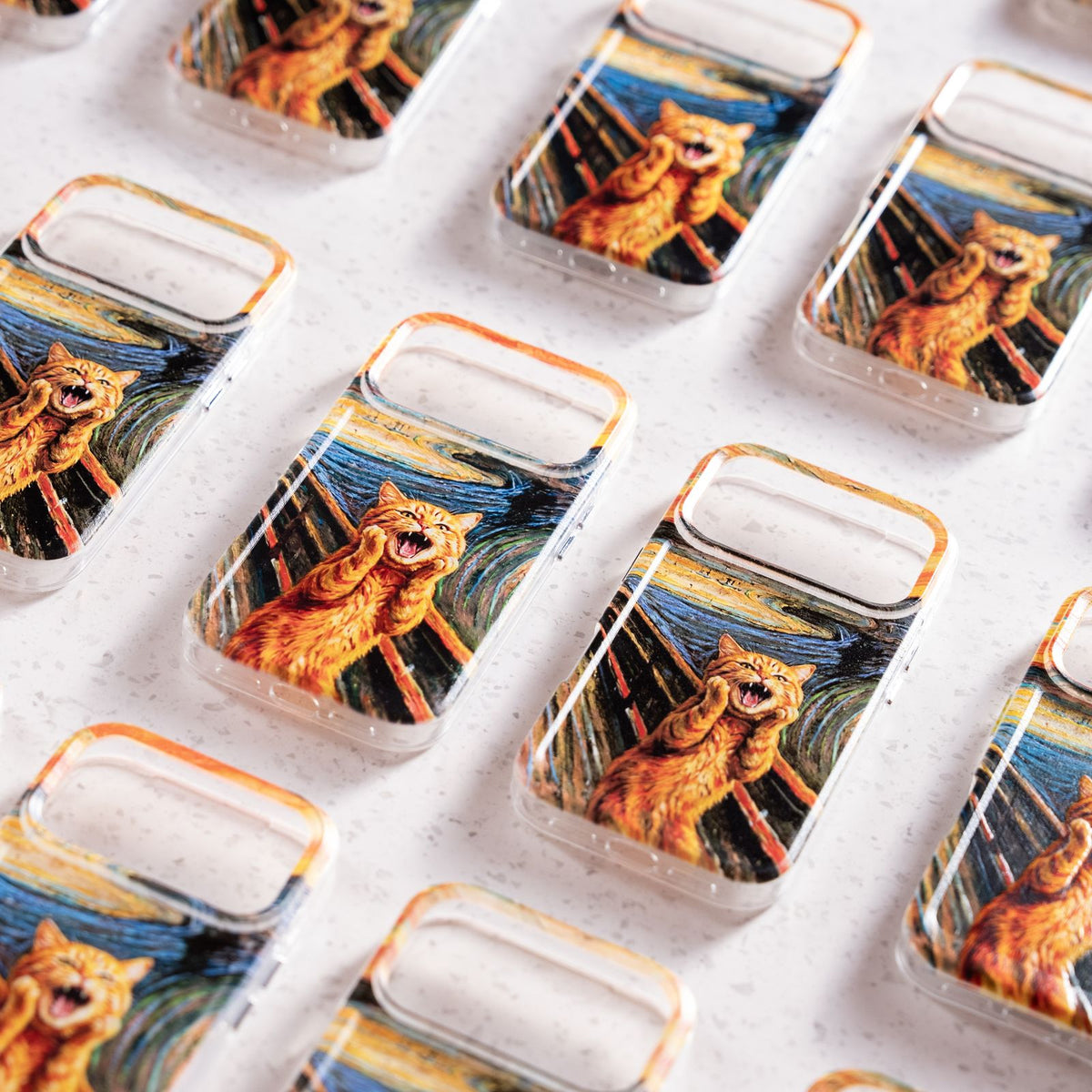
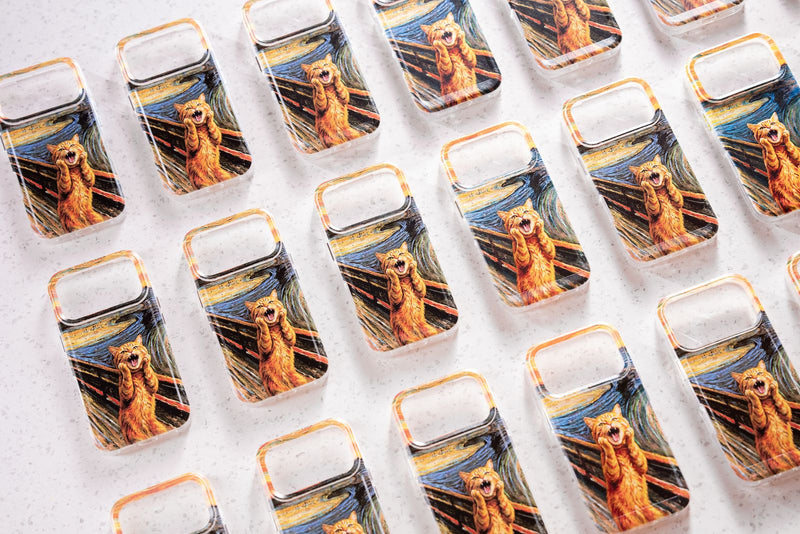
Products printed with the O1 Omni
A3+

A3+ printing area

Designed for a wide range of personalized products and printing applications.

7mm

Up to 7mm raised 3D texture

Create dimensional, embossed and textured effects for premium products.

UV

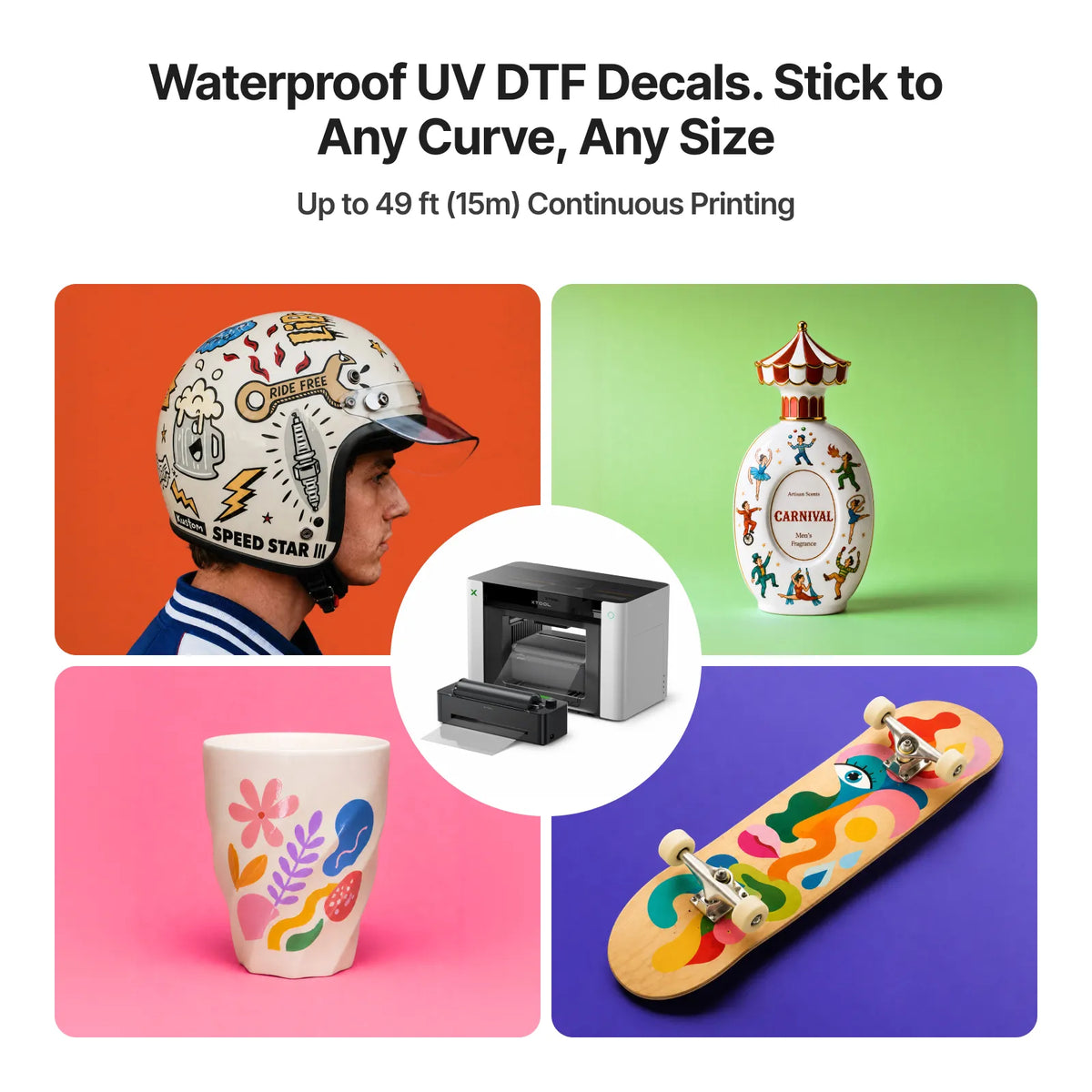
UV DTF printing

Produce custom UV DTF transfers for suitable hard and irregular surfaces.

↓

Direct-to-object printing

Print directly onto compatible materials such as acrylic, wood, metal, glass and ceramics.

T

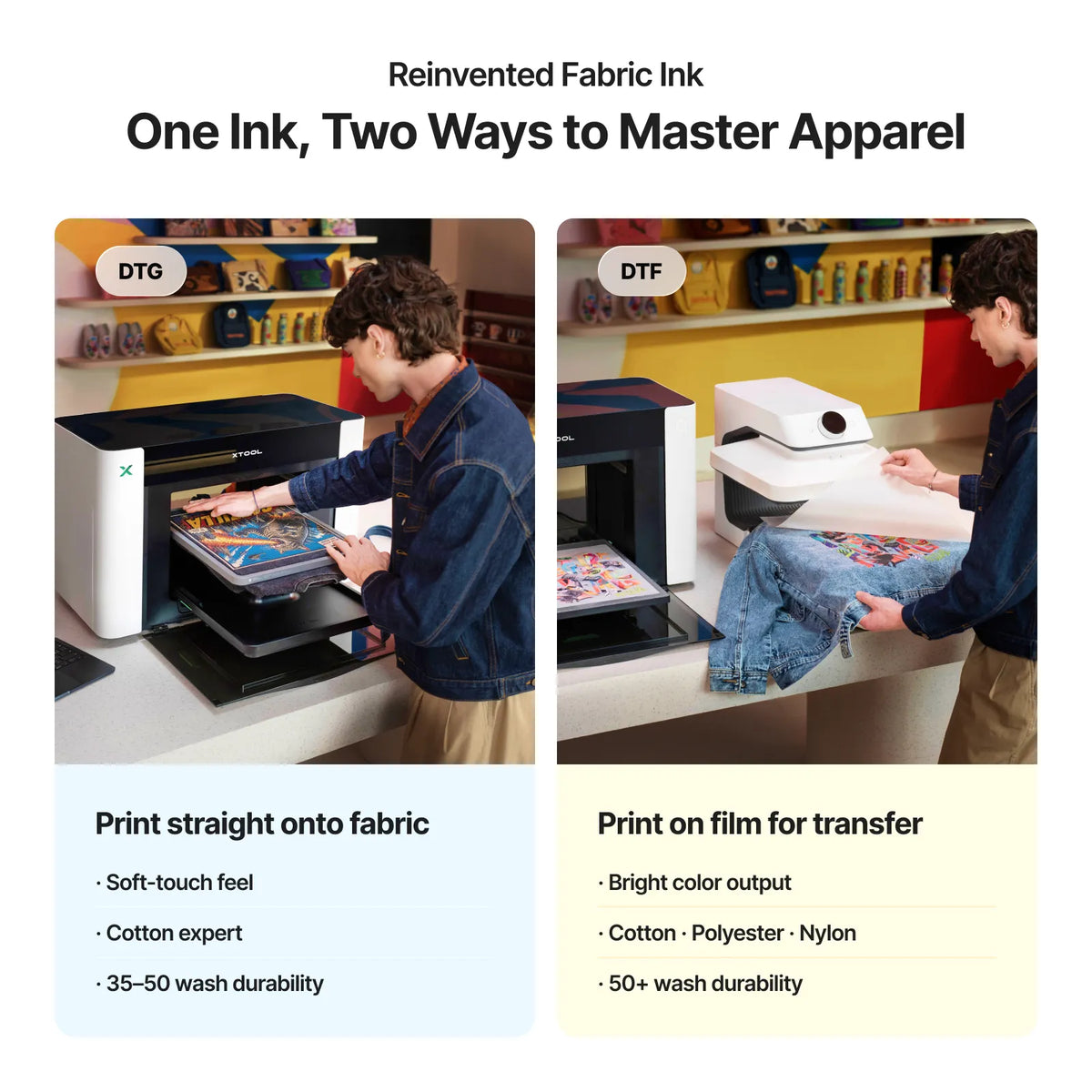
Fabric & apparel printing

Selected configurations support direct printing onto suitable fabrics and apparel.

⌖

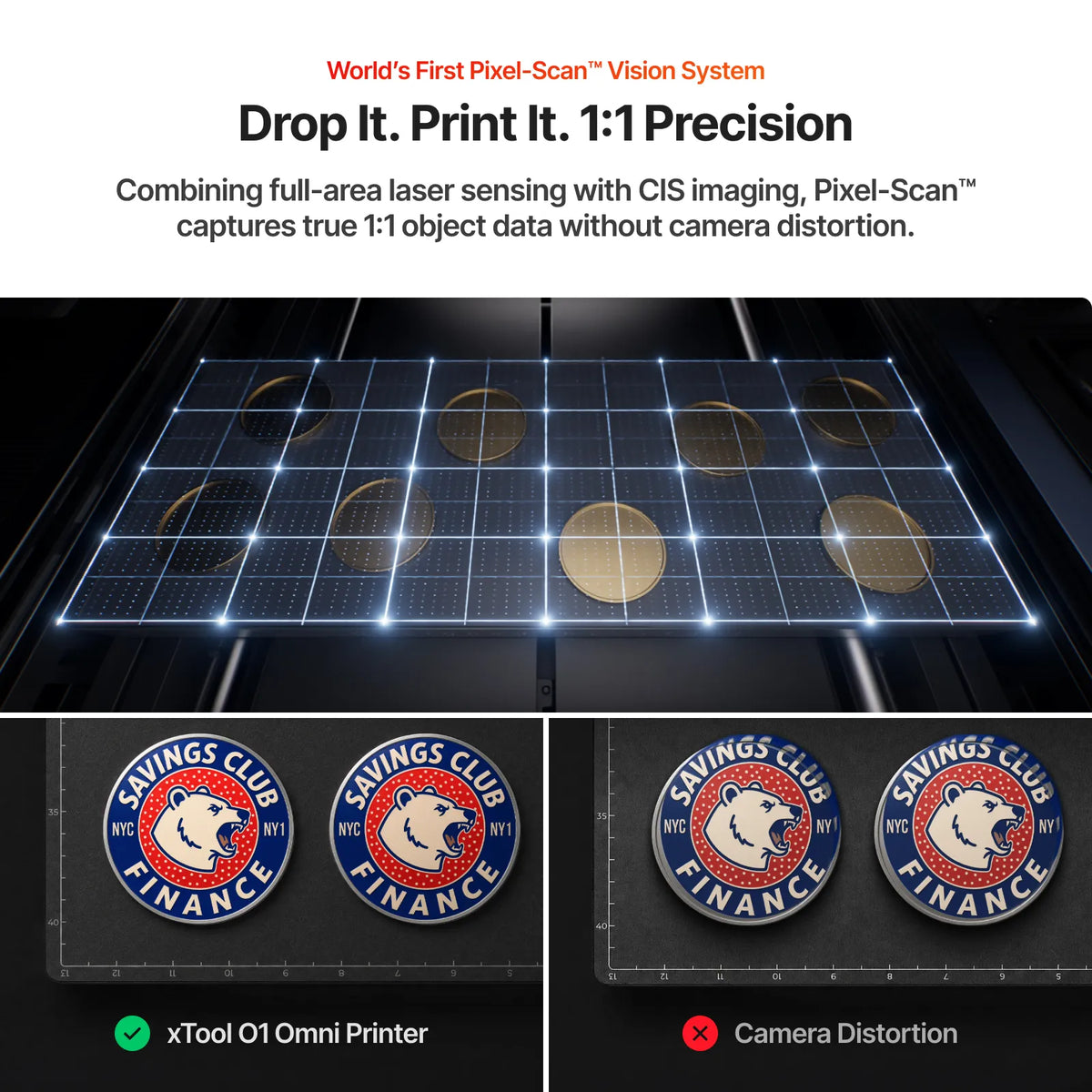
Pixel-Scan™ alignment

Advanced vision-based positioning helps achieve accurate print placement.

✦

Special-effect printing

Textured designs, lenticular-style effects and other creative applications depending on configuration.

↻

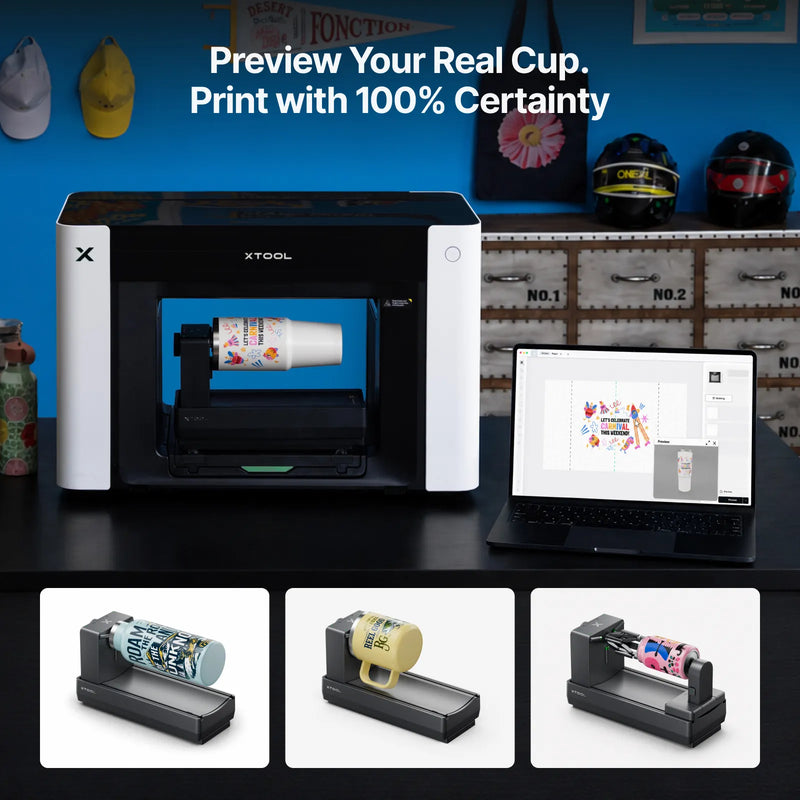
Optional rotary accessory

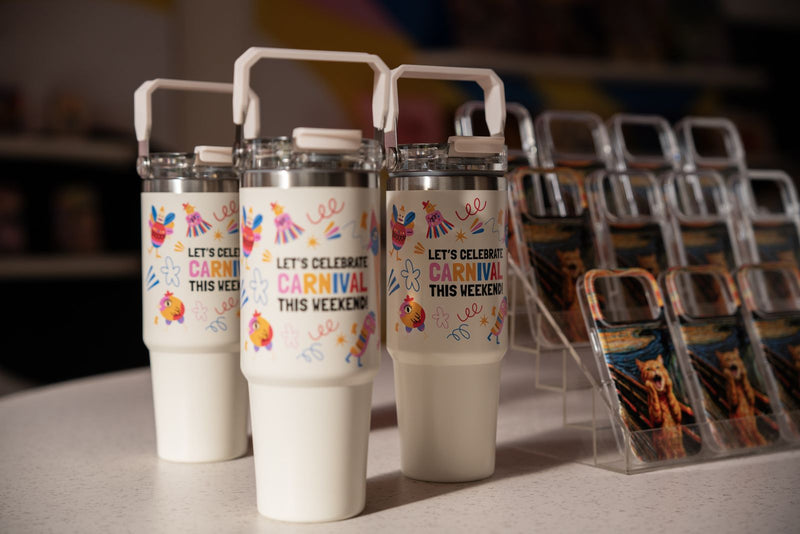
Expand to compatible cylindrical products such as tumblers and bottles.

2.0

Smart Cycle 2.0

Automated maintenance functions designed to simplify routine printer care.

x

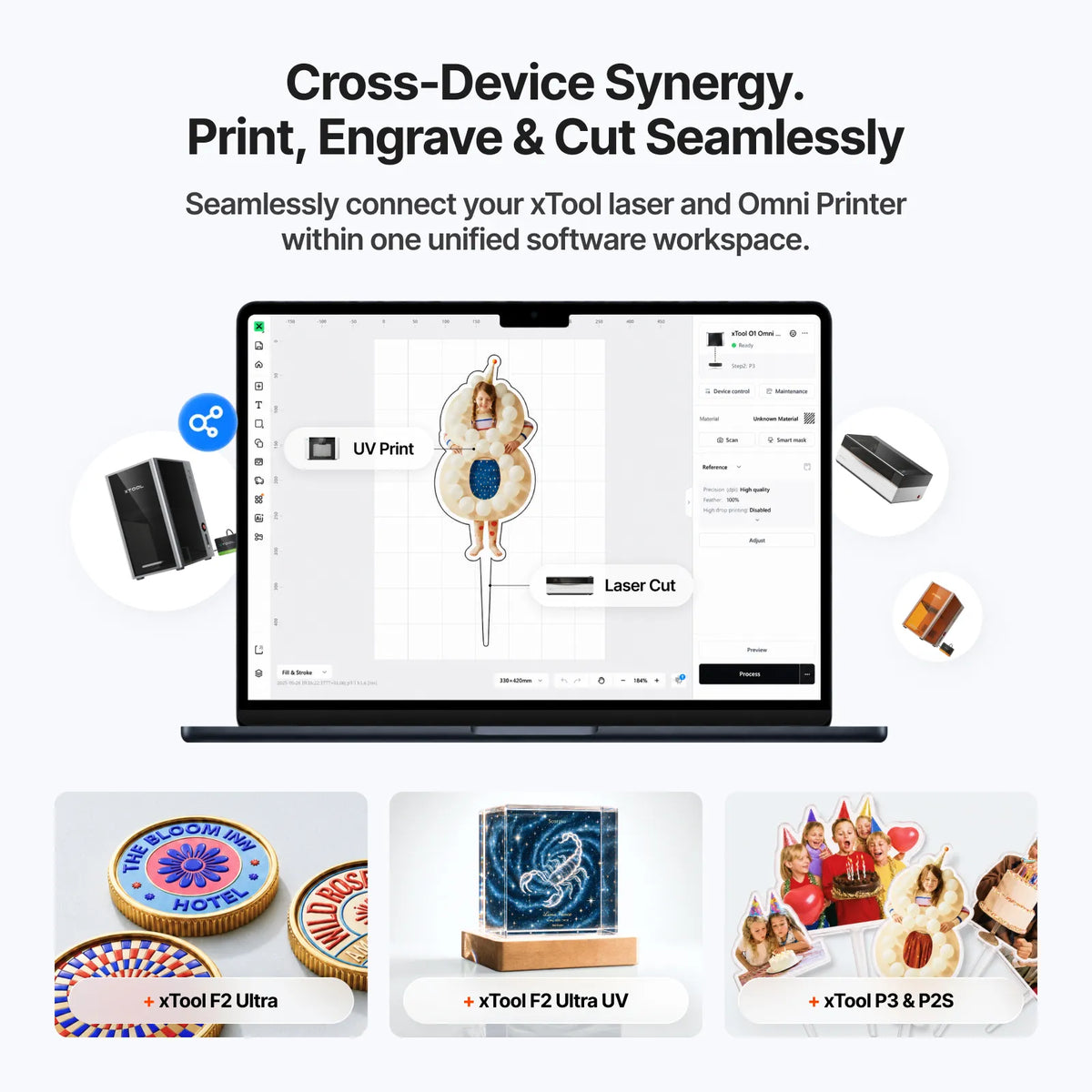
xTool ecosystem

Integrates with compatible xTool laser engraving and cutting workflows for expanded product personalization.

Three configurations

Three configurations. Multiple production opportunities.

Choose the O1 Omni based on what you plan to sell. All three share the same platform — the difference is the printing technology, ink configuration, printhead setup and supported workflows.

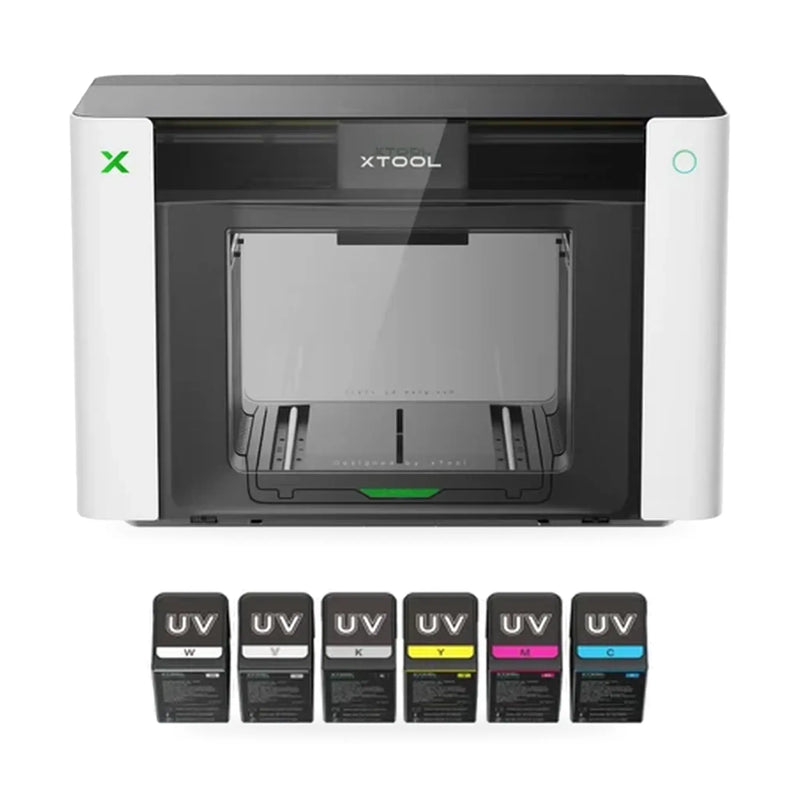
Single UV edition

Focus on hard goods

Single UV

Focused UV printing and UV DTF production for rigid products — ideal for businesses centred on hard-goods personalization.

Great for

  • Signs
  • Awards & plaques
  • Personalized gifts
  • Promotional products
  • Acrylic, wood & metal products
  • Glass & ceramic items
  • Décor & signage
  • UV DTF transfers

Choose Single UV if you don't need fabric printing or fluorescent UV.

From $2,499See bundles
Specialty effects
Dual-Head UV edition

Expand into specialty UV

Dual-Head UV

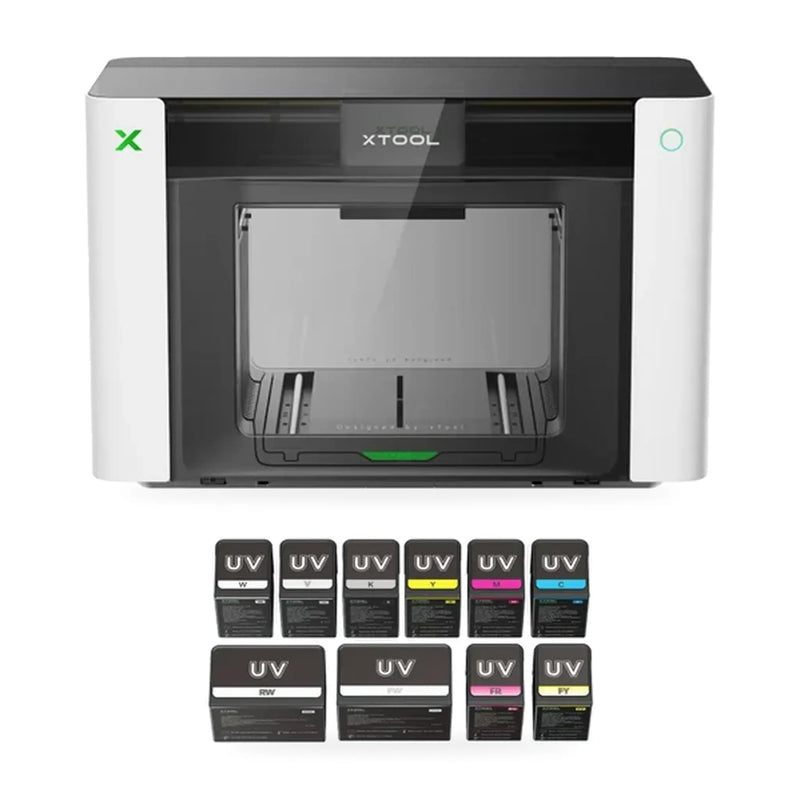
Advanced UV printing with an additional printhead plus fluorescent and specialty ink capabilities for premium, visually distinctive products.

Great for

  • Fluorescent colors
  • Vibrant UV prints & white-ink designs
  • Specialty UV graphics & premium branding
  • Flexible materials, leather & canvas
  • Advanced raised textures
  • Decorative products
  • UV DTF transfers

Choose Dual-Head UV if specialty effects and premium personalization are central to your business.

From $3,299See bundles
UV + DT Fabric edition

One platform for UV + apparel

UV + DT Fabric

The most versatile configuration — UV printing plus dedicated fabric printing for businesses working across hard goods and textiles.

Great for

  • UV direct printing & UV DTF
  • DTG printing
  • DTF printing
  • Cotton apparel
  • Polyester garments
  • Nylon & suitable blends
  • Personalized hard goods, signs & merch

Choose UV + DT Fabric to sell both hard goods and apparel from one platform.

From $3,499See bundles
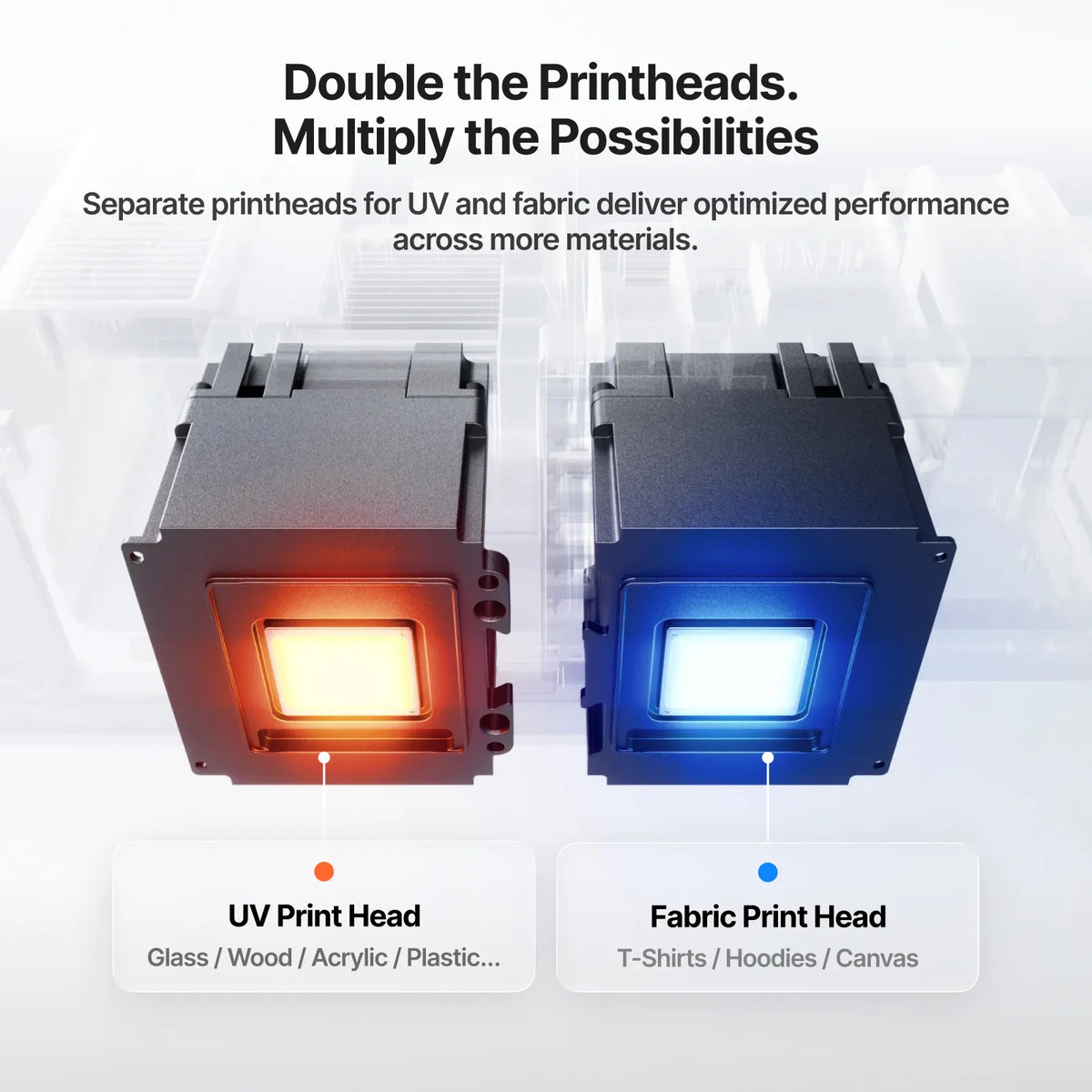
Separate UV and fabric printheads

Dual Epson F1080 printheads

Two printheads. More possibilities.

The Dual-Head UV and UV + DT Fabric editions each run two Epson F1080 printheads. On the Dual-Head UV, the second head adds fluorescent and specialty white inks. On the UV + DT Fabric, one head is a dedicated UV printing system for rigid materials and the other a dedicated fabric printing system for apparel.

  • UV printhead — glass, wood, acrylic, metal, ceramic
  • Fabric printhead — T-shirts, hoodies, cotton, polyester and blends
  • Single UV edition — one Epson F1080 for focused UV + UV DTF
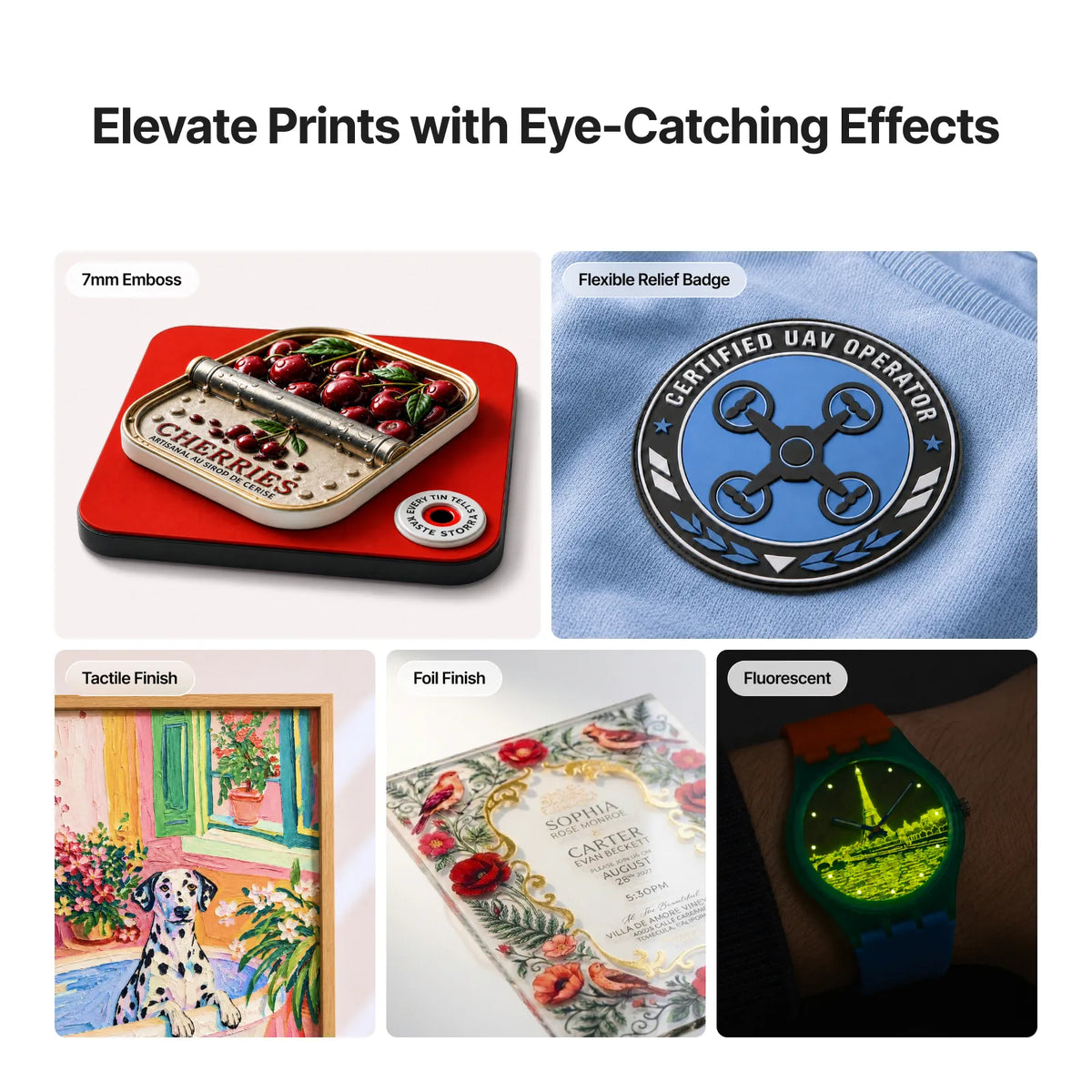
Raised 3D texture print

7mm raised 3D texture printing

Print you can feel.

One of the standout capabilities of the O1 Omni: raised and dimensional print effects up to 7mm, adding depth and texture to compatible designs and products.

  • Raised logos
  • Textured graphics
  • Embossed-style designs
  • Premium signage
  • Personalized gifts
  • Promotional products
  • Decorative products
  • Specialty packaging

The O1 Omni also supports creative texture and special-effect applications — including lenticular-style motion and varnish effects — depending on the configuration and ink setup.

Production workflows

Print it direct. Transfer it. Wear it.

The O1 Omni supports different production workflows depending on the configuration you choose.

Direct UV printing on products

Print directly onto the product

Full-color designs, white ink and varnish effects go straight onto compatible rigid materials — no separate transfer required.

  • Acrylic products
  • Wooden items
  • Metal products
  • Glass
  • Ceramic products
  • Promotional merchandise
  • Personalized décor
  • Signs & custom gifts

Material compatibility and surface preparation are important for proper ink adhesion and print durability. All editions.

Advanced Pixel-Scan™ alignment

Place it. Scan it. Print it exactly there.

Pixel-Scan™ vision technology assists with accurate positioning and alignment — simplifying product placement and helping reduce alignment errors during printing.

Pixel-Scan 1:1 precision
A full bed of printed acrylic keychains
Full-bed batch printing — every piece aligned

Especially useful when printing

  • Logos
  • Names
  • Product graphics
  • Detailed artwork
  • Personalized designs
  • Multi-item production layouts
1440 × 1200dpi vision resolution
±0.2 mmpositioning accuracy
720 × 1440dpi print resolution
Epson F1080printheads

Accessories & expansion

Create more products with accessories

Expand the O1 Omni ecosystem with compatible accessories — and save by choosing a bundle that already includes them.

Rotary printing

Rotary printing

Print suitable cylindrical products: tumblers, bottles, cups and other compatible cylindrical products.

Included in Professional & Pro Plus bundles

Laminator

For UV DTF transfer production and specialty finishing, including decorative and hot-foil-related workflows where supported.

LM1 included in Pro Plus bundles

Roll feeder & more

Depending on configuration and application, accessories like a roll feeder expand into roll-fed vinyl and canvas.

RF1 included in Pro Plus bundles

Always verify accessory compatibility with your O1 Omni edition and supported product dimensions before purchasing.

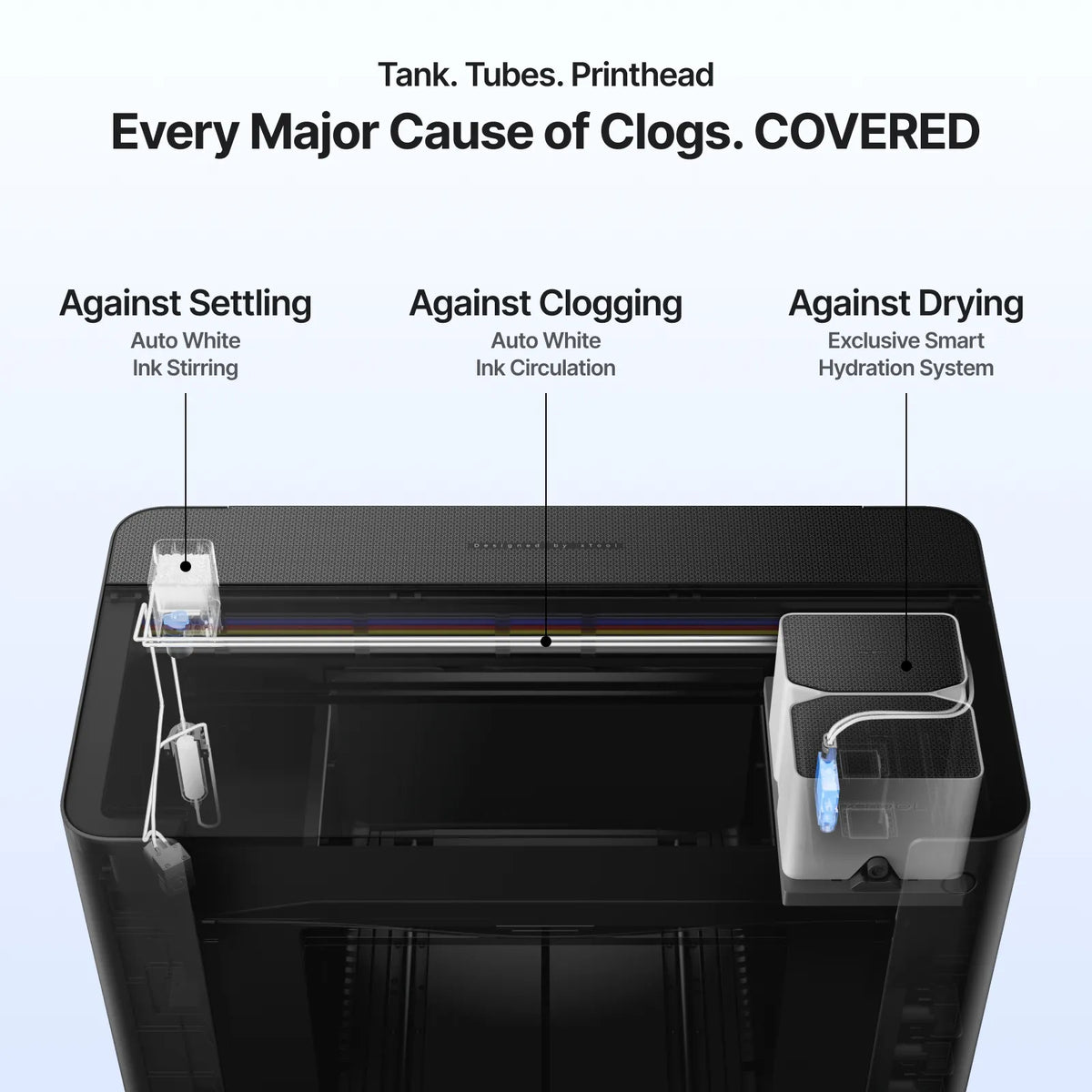
Smart Cycle 2.0 clog prevention

Smart Cycle 2.0

Less upkeep. More printing.

Proper maintenance protects UV printer components and keeps print quality consistent. Smart Cycle 2.0 simplifies supported maintenance routines and reduces manual work — with app-based remote cleaning and control on every edition.

  • Automatic white ink stirring and circulation
  • Printhead moisture protection
  • Multiple cleaning modes
  • Vacation Mode for extended idle periods
  • Remote cleaning from the app

For best results, follow xTool's recommended maintenance schedule, cleaning procedures and ink-handling guidelines.

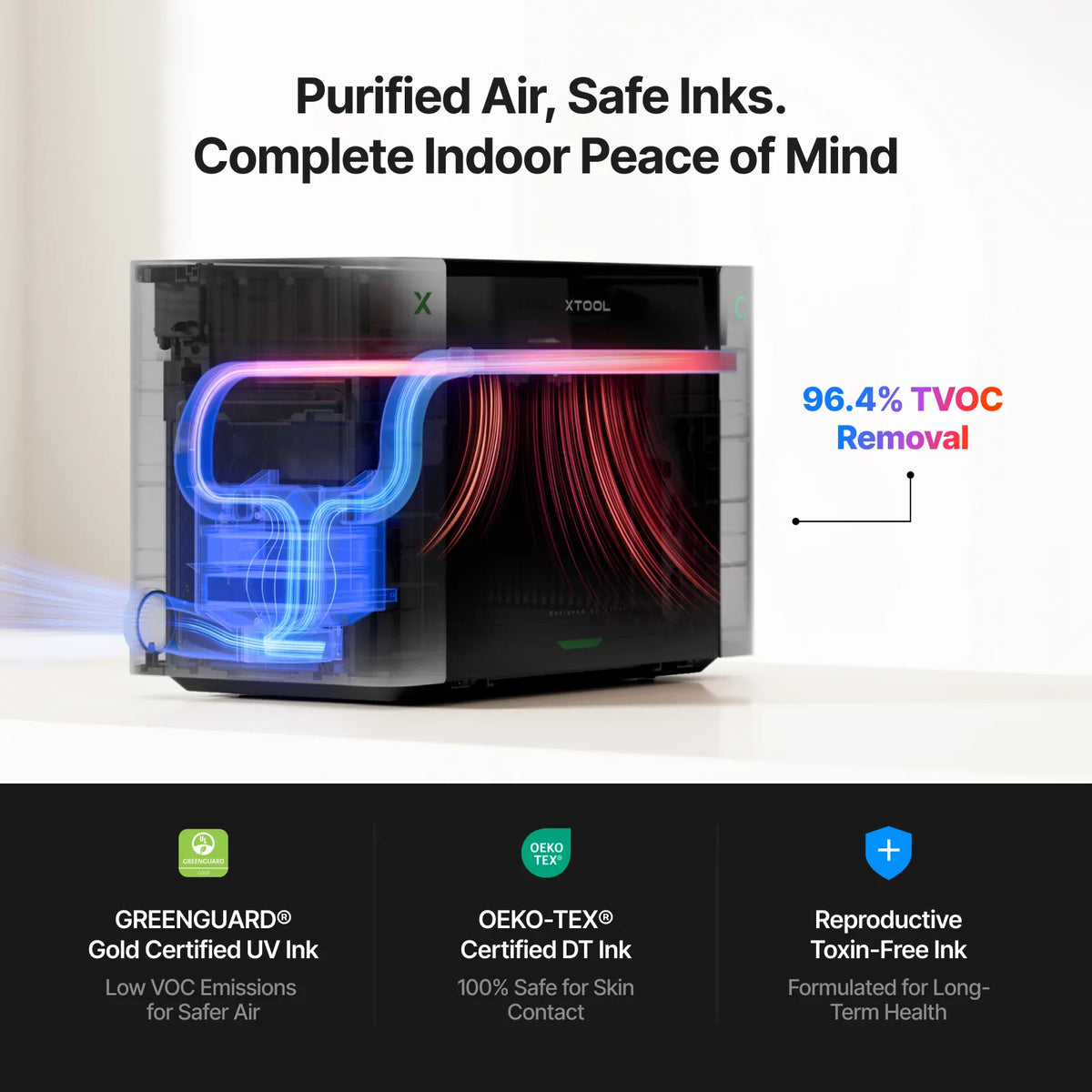
Verified ink safety

Certified inks for an indoor workspace.

Print in a home studio, shop or office with inks certified as specified by the manufacturer.

  • GREENGUARD® certified UV inks
  • OEKO-TEX® certified fabric ink on the UV + DT Fabric Edition
  • Desktop format that fits small workspaces
Certified inks and air filtration
O1 Omni with an xTool laser

xTool ecosystem

Print with the O1 Omni. Cut and engrave with your xTool laser.

The O1 Omni integrates with compatible xTool laser engraving and cutting workflows, so one design can become a printed, cut and engraved finished product — expanding what you can personalize and sell.

Runs on Windows & macOS with app-based remote control.

Who is it for?

Built for businesses that personalize

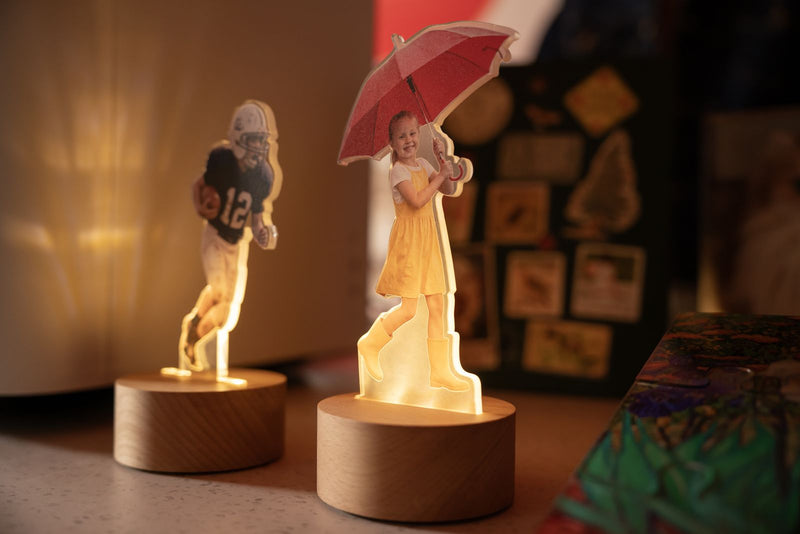
Real products made on the O1 Omni — from acrylic signage and light-up figures to batch-printed keychains and custom drinkware.

  • Small businesses
  • Print shops
  • Personalization businesses
  • Custom-product businesses
  • Promotional-product companies
  • Makers & creative studios
  • Personalized gift businesses
  • Apparel businesses
  • Sign & décor businesses
  • Entrepreneurs starting a UV printing business
  • Businesses producing UV DTF transfers

Order from DTF Gears

Choose your edition and bundle

Starter includes the printer, inks and full accessory kit. Professional adds the OR1 Rotary. Pro Plus adds the Rotary, RF1 Roll Feeder and LM1 Laminator.

U.S.-based supportSetup guidance & technical help
Configuration helpWe'll match the edition to your products
Flexible financing availableAsk our team

Plan your return

How fast could it pay for itself?

Enter your own numbers for one of your products. This is a simple estimate — it doesn't include your time, shipping, taxes or other overheads.

Profit per item—
Profit per week—
Estimated payback—

Configuration comparison guide

Which O1 Omni edition is right for your business?

All three share Pixel-Scan™ vision technology, Smart Cycle 2.0 maintenance, A3+ printing, advanced UV features and raised texture up to 7mm. The key differences are the printing technology, ink configuration, printhead setup and supported workflows.

What do you plan to sell? Tap all that apply

Tap what you sell — the right edition lights up in the table.
FeatureSingle UVDual-Head UVUV + DT Fabric
Best forRigid-product personalizationAdvanced UV effectsRigid goods + apparel
Primary applicationsUV direct + UV DTFUV direct + UV DTF + specialty effectsUV + UV DTF + DTG + DTF
Printheads1 × Epson F10802 × Epson F10802 × Epson F1080
UV ink configurationCMYKWVCMYKWV + specialty white/fluorescentCMYKWVDT
Fabric inkNot applicableNot applicableCMYKWW
UV direct printing✓✓✓
UV DTF✓✓✓
DTG printing——✓
DTF printing——✓
Fluorescent color—✓—
Flexible white ink—✓—
Lenticular motion effects✓✓✓
Up to 7mm raised texture✓✓✓
Varnish effects✓✓✓
A3+ print area✓✓✓
Print resolution720 × 1440 dpi720 × 1440 dpi720 × 1440 dpi
Vision resolution1440 × 1200 dpi1440 × 1200 dpi1440 × 1200 dpi
Positioning accuracy±0.2 mm±0.2 mm±0.2 mm
Operating systemsWindows & macOSWindows & macOSWindows & macOS
App remote cleaning / control✓✓✓
Smart Cycle 2.0✓✓✓
Approx. machine weight89.5 lb90.7 lb90.7 lb
DTG platen——Included
OEKO-TEX® fabric ink——✓
Future apparel upgradeNot availableNot availableAlready included
Shop Single UV bundles Dual-Head bundles UV + Fabric bundles

Specifications, supported materials and features can vary by configuration, accessory, software version and manufacturer updates. Verify the current configuration before ordering.

Which O1 Omni edition works with your products?
Material / productSingle UVDual-Head UVUV + DT Fabric
AcrylicDirect UVDirect UVDirect UV
WoodDirect UVDirect UVDirect UV
MetalDirect UVDirect UVDirect UV
GlassDirect UVDirect UVDirect UV
CeramicDirect UVDirect UVDirect UV
Curved / irregular hard goodsUV DTFUV DTFUV DTF
Leather / flexible UV mediaStandard configurationEnhanced capabilityUV workflow
Cotton T-shirts——DTG
Cotton hoodies——DTG
Polyester apparel——DTF
Performance wear——DTF
Suitable nylon / blends——DTF
Fluorescent / neon effects—Best suited—
Raised / textured printingUp to 7mmUp to 7mmUp to 7mm
Tumblers / bottlesWith compatible rotaryWith compatible rotaryWith compatible rotary
Roll-fed vinyl / canvasWith compatible accessoryWith compatible accessoryWith compatible accessory
Premium foilingWith compatible accessoryWith compatible accessoryWith compatible accessory

What is the difference between the three editions?

Single UV vs Dual-Head UV

Both are designed for UV direct printing and UV DTF production. The primary difference is the printhead and ink configuration — the Dual-Head UV adds specialty capabilities such as fluorescent color and flexible white ink.

Choose Single UV if your priority is standard UV personalization and UV DTF. Choose Dual-Head UV if specialty colors, effects and advanced UV applications matter to your product offering.

Dual-Head UV vs UV + DT Fabric

The Dual-Head UV focuses on advanced UV printing and specialty effects, while the UV + DT Fabric edition expands the platform into apparel printing.

Choose Dual-Head UV when your business is centred around premium UV products. Choose UV + DT Fabric when you want to sell both hard-goods personalization and custom apparel.

Single UV vs UV + DT Fabric

These two target very different workflows. Single UV is designed around UV products and UV DTF.

UV + DT Fabric adds DTG and DTF capabilities, making it suitable for businesses that want to produce both personalized hard goods and apparel.

Which configuration should you buy?

Choose Single UV if

  • Your primary products are rigid items.
  • You want UV direct printing.
  • You want to produce UV DTF transfers.
  • You don't need apparel printing.
  • Fluorescent UV printing isn't a priority.
Shop Single UV →

Choose Dual-Head UV if

  • You want advanced UV effects.
  • Fluorescent colors are important to your business.
  • You want specialty white-ink capabilities.
  • You produce premium personalized products.
  • UV DTF is an important part of your workflow.
Shop Dual-Head UV →

Choose UV + DT Fabric if

  • You want to sell both hard goods and apparel.
  • You need DTG printing.
  • You need DTF printing.
  • You work with cotton, polyester and suitable blends.
  • You want one platform covering multiple personalization workflows.
Shop UV + DT Fabric →

Why buy from DTF Gears

The right configuration matters. We'll help you choose it.

The three versions are designed around different production workflows. We help businesses choose printing equipment based on their products, production requirements, budget and workflow — whether you're starting a new personalization business or expanding an existing print operation.

We also provide U.S.-based product guidance and technical support to help you get started with your equipment.

Get configuration help

We'll help you evaluate

  • Products you plan to sell
  • Materials you plan to print
  • UV vs UV DTF requirements
  • Apparel printing requirements
  • Expected production volume
  • Accessories
  • Software and workflow
  • Budget

FAQ

Frequently asked questions

What is the xTool O1 Omni?

The xTool O1 Omni is a multi-function desktop printing platform designed for applications including UV printing, UV DTF, direct-to-object printing and fabric printing, depending on the selected configuration.

What is the difference between the xTool O1 Omni editions?

The three editions primarily differ in their printhead configuration, ink architecture and supported workflows. Single UV focuses on UV and UV DTF, Dual-Head UV adds specialty UV effects, while UV + DT Fabric adds DTG and DTF apparel printing.

Can the xTool O1 Omni print UV DTF — and which edition is best for it?

Yes. All three configurations support UV DTF transfers for suitable products and surfaces. Your choice should depend on whether you also need specialty UV effects or fabric printing.

Can the O1 Omni print directly on products like acrylic, wood and metal?

Yes. The UV configurations are designed for direct-to-object printing on compatible substrates such as acrylic, wood, metal, glass and ceramics.

Which O1 Omni can print fluorescent colors?

The Dual-Head UV Edition is the configuration designed for fluorescent color printing.

Can the xTool O1 Omni print on clothing and T-shirts?

The UV + DT Fabric Edition is the configuration designed for DTG and DTF apparel workflows. Material compatibility should be confirmed before production.

Can the O1 Omni print tumblers?

Compatible configurations can support cylindrical-product printing with the appropriate rotary accessory. Product dimensions and material compatibility should be verified before production.

How thick can raised textures be — and does every edition support it?

All three configurations share the platform's raised texture capability, with printing effects up to 7mm depending on the application and settings.

Is the xTool O1 Omni suitable for a small business?

Yes. Its multi-function design makes it suitable for businesses offering personalized products, promotional merchandise, UV DTF transfers, décor and other custom-printing applications.

What can I make with the xTool O1 Omni?

Depending on the configuration, applications can include personalized gifts, tumblers, acrylic products, signs, décor, promotional merchandise, UV DTF transfers, apparel and other customized products.

Find the right xTool O1 Omni for your business

Expand into UV printing, UV DTF, product personalization and apparel decoration. Choose the configuration that matches the products you want to sell and the workflows you plan to operate.

Contact DTF Gears for configuration assistance, product information, pricing and U.S.-based technical support.

Talk to our team