
CADlink DTF Software: Digital Factory V12 for every DTF printer size
The RIP decides how bright your colors print, how heavy the white layer is and how fast your jobs move. Choose the edition that matches your printer width.


- Lifetime license, no dongle
- Code by email within one business day
- Free 15-day trial
- Financing at checkout
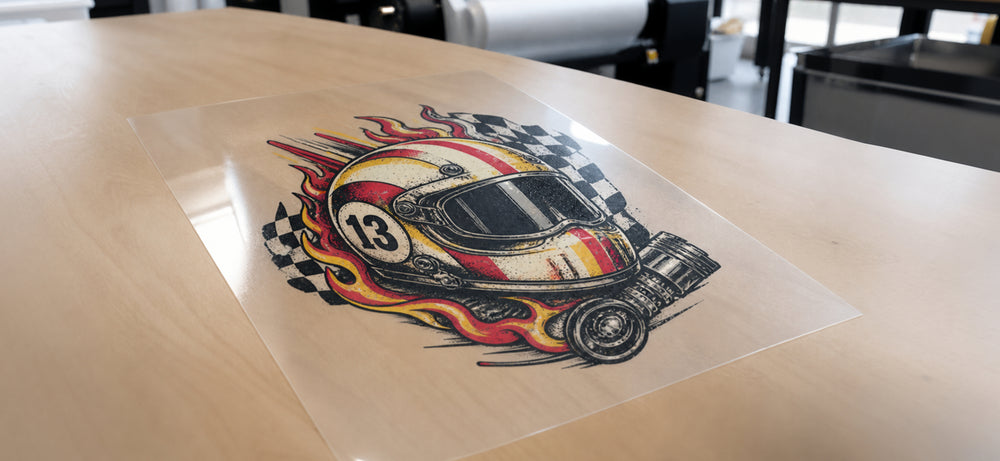
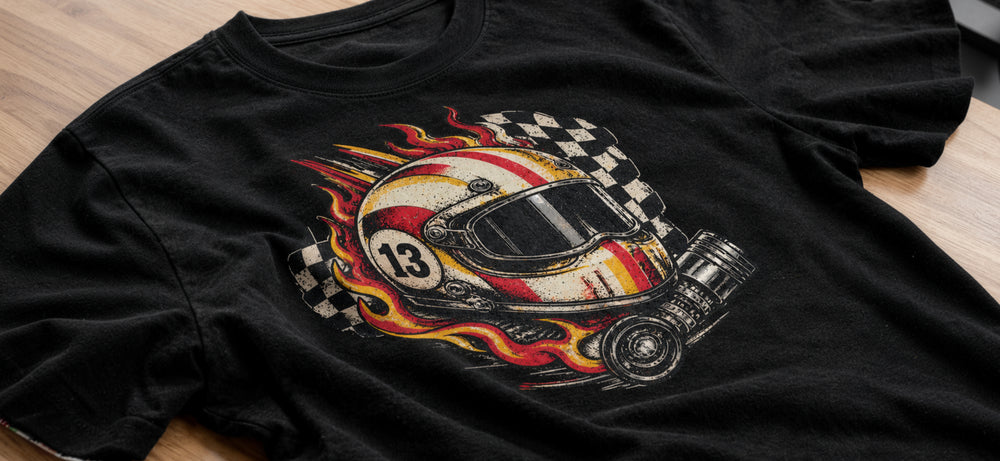
Colors vanish into the garment.
Illustration of the concept, not a CADlink screenshot. Drag the slider: this is the white layer a DTF RIP controls.
Which CADlink DTF software edition should you choose?
Start with your printer's media width. Volume and growth come second.
Desktop Edition
Save $65. Lifetime license.
- Your printer prints A2 or smaller, or uses rolls up to 17 in.
- You run a converted Epson or an A3 / 13 in. DTF printer
- You run one printer and handle most production yourself
- You want pro color, underbase and gang sheet control without production-floor tools
- A 24 in. printer is not on your 12-month plan
Production Edition, Large Format
Save $145. Lifetime license.
- Your printer uses rolls wider than 24 in. (A1 and up)
- You run, or plan to run, more than one printer
- You sell gang sheets or bulk transfers at volume
- You want hot folders and barcode-based job intake
- Other operators will run the RIP
Between 17 and 24 inches, or buying software before the printer? Send DTF Gears your printer model before you order, or run the free 15-day trial first. Still choosing hardware? See all DTF printers.
| Desktop vs Production | Desktop Edition | Production Edition, Large Format |
|---|---|---|
| Best suited for | Small-format printers: A2 sheets or smaller, rolls up to 17 in. | Wide-format printers: A1 and up, rolls over 24 in. |
| Typical business | Home-based sellers, small shops, apparel brands printing in-house | Commercial print shops, gang sheet sellers, high-volume transfer producers |
| Production environment | Desktop or entry-level setup, typically one printer | Production floor with enhanced queue handling, built with multi-printer shops in mind |
| Workflow scale | Individual to small-scale production | High-volume, high-throughput production |
| Included in both | Fiery-powered color management, Saturation Rendering Intent, integrated Gang Sheet Builder, enhanced markup system, lifetime license with no dongle, Windows 10/11 (64-bit) | |
| Production extras | None | Visual Production Manager, hot folder and barcode automation, print-from-design with Adobe Illustrator and CorelDRAW, built-in white ink automation for underbase and highlights |
| Ideal user | An owner-operator who wants professional control on a desktop printer | A shop managing operators, machines and steady order volume |
| Growth path | Moving to a 24 in. printer later? A Desktop to Large Format upgrade costs $524.99 | Built for adding printers and automating job intake |
| Best use case | Converted Epson or A3 / 13 in. printer producing customer orders | 24 in.+ roll printer running gang sheets and bulk transfers daily |
What is CADlink DTF software?
CADlink DTF software is Digital Factory DTF Edition, a RIP that prepares artwork for direct-to-film printers: color management, white underbase, halftones, layout and job queues, all before the printer fires.
A RIP (Raster Image Processor) sits between your design and your printer. Photoshop, Illustrator or CorelDRAW is where you create the artwork. The printer puts ink on film. The RIP decides what ink goes where, how heavy the white layer is and how colors reproduce. In DTF that matters more than in almost any other print process, because every transfer is a mirrored, layered print: color first, then white behind it.
The names fit together like this. CADlink is the developer, and people use the name as shorthand for its RIP. Digital Factory is the RIP family. V12 is the current major version, with Fiery-powered color management, an integrated Gang Sheet Builder and an expanded markup system. The DTF Edition is set up for CMYK plus white and reverse printing. DTF Gears sells it as Desktop and Production (Large Format).
Wondering if a dedicated RIP is worth it? Read why you need CADlink software for DTF printing, or browse all DTF software at DTF Gears.
What does RIP software do for DTF printing?
Nine jobs the RIP handles on every print. New to DTF? Start with our beginner's guide to DTF printing, costs and what to buy.
- Color management
- Maps the RGB on your screen to the ink the printer lays down, using ICC profiles, so the shirt looks like the proof.
- White ink management
- Decides where white prints and how dense it is. Too much stiffens the transfer. Too little lets the garment show through, as the demo above shows.
- Underbase processing
- Controls the white layer behind the color so you can keep it tight to the edges and avoid halos. In CADlink: Queue, Properties, Color Layer, Processing Options.
- Image processing
- Halftone screening (AM, FM/stochastic or hybrid) shapes how smooth gradients look and how the finished transfer feels.
- Print job preparation
- Mirrors artwork for reverse printing on film, handles transparency and applies the right resolution and ink limits.
- Layout
- Film is bought by the foot. Tight layouts mean less waste and a lower cost per transfer.
- Multiple copies
- Need 50 left-chest logos? Step and repeat automatically instead of placing each by hand.
- Production workflow
- Saved settings, job labels and material tracking make every reprint repeatable.
- Print queue management
- Hold, reorder, reprint and review jobs, with separate queues for different printers or media.
Key CADlink DTF software features in V12
Fiery-powered color
Advanced color management with a Saturation Rendering Intent made for DTF and textile work. Want custom ICC profiles with a supported spectrophotometer? The optional Fiery Digital Factory Color Profiler add-on does that.
Integrated Gang Sheet Builder
Build ganged layouts inside the print queue with visual preview, drag-and-drop placement and automatic alignment and spacing. No third-party nesting software.
White ink and underbase
Adjust underbase strength in the queue properties to tune transfers for dark or light garments. The Production Edition adds built-in white automation for underbase and highlights.
Halftone options
AM, FM/stochastic and hybrid screening help when gradients look grainy, white feels heavy, fine detail is lost or transfers crack after pressing.
Markup and finishing
Multi-side job labels, pull-cut registration marks for hybrid cutters, print-length marks that show material usage, and rotation of individual marks.
Repeat printing
Settings live in the queue, so a customer's reorder runs exactly like the first one. That consistency is a big part of what a pro RIP is worth.
Not sure it fits your files and printer?
Run Digital Factory on your own printer, film and designs with the free, full-featured 15-day trial.
CADlink DTF software vs basic printer software
Bundled drivers do a real job: they get the printer printing. The gap shows up once quality and volume matter.
| Area | Basic printer driver or bundled software | Dedicated RIP (CADlink Digital Factory) |
|---|---|---|
| Core purpose | Sends a print job to the printer | Prepares, controls and manages the job before and during printing |
| Color management | Limited or preset | ICC-based, Fiery color technology, custom profiling with the optional add-on |
| White ink workflow | Varies by printer, often a fixed layer | Adjustable white density, layering and placement |
| Underbase | Often automatic, few adjustments | Controllable underbase settings |
| Production workflow | One job at a time | Queues, gang sheets, job labels, material tracking |
| Repeat jobs | Settings often re-entered by hand | Saved queue settings for consistent reprints |
| Professional workflow | Fine for getting started | Built for selling transfers at a consistent standard |
| Scalability | Tied to one printer model | Many supported printer models; Production Edition built for multi-printer shops |
Many printers in our best DTF printer under $2,500 guide ship with their own software. The real question is when your business outgrows it.
CADlink DTF software vs free RIP software
What free or bundled software may offer
No upfront cost for your first printer, basic white underbase generation and preset print modes for one specific printer.
Limits to weigh
Minimal layout, queue and repeat-job tools. Preset color curves and limited ICC profiling. Fewer controls over white density. Unlicensed copies bring no support, no legitimate updates and real security risk. A second printer brand means a second system.
We break down the real cost in Free DTF RIP Software vs Paid CADlink: What Free Actually Costs You. Comparing paid options? See AcroRIP vs CADlink Digital Factory V12.
CADlink DTF software for different types of businesses
Beginners
Bundled software may be enough at first. CADlink pays off once you are selling and need repeatable results. Pick the printer first with our best DTF printers by budget and volume.
Home-based businesses
Converted Epson printers like the ET-8550 need a RIP to handle white ink. The Desktop Edition lists the ET-8550 as supported, which pairs with our ET-8550 DTF kit.
Small DTF businesses
On an A3 or 13 in. printer, gang sheets, saved queues and consistent color cut waste. Running a K13 Lite? Read the CADlink V12 and K13 Lite setup guide.
Apparel brands
Brands printing their own merch need color that matches batch to batch. ICC-based color management is how you get it.
Professional print shops
Customer artwork arrives in mixed quality. Image processing, underbase control and job labels keep many orders moving without mix-ups.
Commercial and large-format
At scale the bottleneck is workflow, not print speed. Read desktop vs commercial DTF printer and see Audley commercial DTF printers.
Where CADlink fits in your DTF workflow
The RIP is one link in a chain. Even a perfect RIP setup cannot fix cheap film, settling white ink or an under-cured transfer.
- DesignArtwork exported at print resolution from your design software.
- RIP softwareCADlink Digital Factory handles color, underbase and layout.
- DTF printerPrints color, then white, in reverse. Browse DTF printers.
- DTF filmQuality affects ink hold and peel. See DTF film rolls.
- DTF inkChoose economical or premium Japanese DTF ink.
- DTF powderHot-melt adhesive for the wet print. Shop DTF powder.
- CuringOven or inline shaker. Commercial shops use an automatic DTF shaker.
- Heat pressShop heat presses or read the best heat press for DTF transfers.
- Finished garmentPeel, inspect, pack.
RIP settings depend on the stages after it. White density, for example, should be tuned to your ink and film, which is why many shops standardize on one supplier once their profiles are dialed in.
CADlink DTF software and printer compatibility
"Supports DTF" is not the same as "supports your printer." Check these before you buy.
- Printer model. Your exact model should be on the edition's supported list, or confirmed by the reseller.
- Printer configuration. Some converted Epsons need a specific driver. The ET-8550 needs CADlink's V2 driver to allow custom ink orders.
- Connection. Many Chinese-made DTF printers work, but setup may need TCP/IP configuration and the RIP running on the same computer as the printer's control software.
- Ink and white workflow. Confirm the channel layout (for example CMYK+W or dual white) and how the printer handles white circulation.
- Media width. Desktop covers up to A2 / 17 in. Production covers A1 and up / over 24 in.
- Computer. Windows 10 or 11 (64-bit), 8 GB RAM minimum (16 GB recommended). Not natively available for Mac.
Supported models include
Desktop: Epson L1800, L805, ET-8550, XP-15000, SC-P600/P800, Azon Pronto, DTFJet ONE, Prestige A3 and more.
Production: Epson 78xx/98xx, SC-P6000/P9000, Audley 24, Mutoh VJ-628, Titan Jet and more.
See the full list on each product page. Brand pages: Procolored, xTool, Audley.
Pair the software with a printer
Two common starting points from the DTF Gears range.

Procolored K13 Lite A3 / 13 in. Starter Bundle
$1,999.00$2,999.00
An A3 roll printer with supplies. Add the Desktop Edition and read the K13 Lite setup guide.
View printer
Audley 24 in. DTF Printer, 2 Head (S7070-3)
$8,499.00
A commercial roll printer. Audley 24 is on the Production Edition supported list.
View printerHow much does CADlink DTF software cost?
Current DTF Gears pricing for Digital Factory V12 DTF, plus the add-ons buyers ask about most.
| Product | DTF Gears price | Who needs it |
|---|---|---|
| Digital Factory V12, Desktop Edition | $379.99 | Printers with rolls up to 17 in. or A2 sheets |
| Digital Factory V12, Production Edition | $799.99 | Printers 24 in.+ or A1 and up |
| Upgrade: Desktop to Large Format | $524.99 | Desktop owners moving to a wide-format printer |
| Multi-Printer Add-On, Desktop | $199.99 | Adding another printer to a Desktop license |
| Multi-Printer Add-On, Large Format | $594.99 | Adding another printer to a Production license |
| Fiery Digital Factory Color Profiler | $695.00 | Custom ICC profiling with a supported spectrophotometer (needs a V12 license) |
| FluidMask Add-On Module | $194.99 | Background removal inside your CADlink workflow |
Prices as listed at DTF Gears in October 2026. Check each product page for current pricing.
The cheaper edition only saves money if it supports your printer's width. Gang sheets and tighter white control cut wasted film and ink on every job. A license runs on one computer at a time and can be moved by deactivating it on the old machine, so plan ahead if you use several workstations. For every edition, license and upgrade, read the CADlink Digital Factory price guide. Financing is available: see DTF Gears financing.
Complete DTF production setup
Every part of a DTF shop, and how it connects to your RIP.
DTF printer
Sets your print width and therefore your CADlink edition. Compare on our DTF printers page.
CADlink RIP
Controls color, white ink and workflow. Start at our DTF software page.
DTF ink
Your color profile is built around your ink. Browse DTF supplies.
DTF film
Affects ink absorption and peel. Keep one film so RIP settings stay valid.
DTF powder
Grade affects feel and wash durability. Match it to your fabrics.
Print head
A healthy head comes before everything the RIP does. Read which printhead your printer uses and keep a spare from DTF print heads.
Curing
Under-cured powder peels, over-cured goes stiff. Small setups use an oven, like the K13 Lite oven bundle.
Heat press
Even heat and pressure finish what the RIP started. Shop DTF heat presses.
Maintenance
White ink settles and heads dry out. Stock Procolored cleaning supplies or xTool maintenance supplies.
Keep ordering simple with DTF supply bundles, and see which bundle fits your printer.
How to build a DTF business with the right software
- Start small, but start right. A desktop printer and the right software can produce sellable transfers from day one. See whether the Procolored K13 is a good printer to start a DTF business.
- Choose the printer before the software. Width and model decide your edition. Budget first? Use our guide to the best DTF printer under $2,500.
- Buy for where you will be in a year. If a wide-format printer is realistic within 12 months, plan the upgrade path now.
- Budget for consumables. Compare a printer bundle with buying separately in our bundle vs separate supplies comparison.
- Count transfers per week, not designs. Volume tells you when gang sheets, queues and automation start to pay off.
- Scale deliberately. A typical path: bundled software, then CADlink Desktop, then a wide-format printer with the Production Edition.
- Protect uptime. Software cannot print through a clogged head. Daily maintenance and a spare print head cost far less than a lost production day.
Common CADlink DTF software buying mistakes
- Skipping the compatibility check. Confirm your exact model and any driver version it needs.
- Buying on price alone. The cheaper edition only works if it supports your printer's width.
- Ignoring production volume. One shirt a day and 500 transfers a week need different tools.
- Underestimating white ink. White control is where a RIP earns its cost. Know how your printer handles it.
- Choosing the wrong edition. Desktop covers up to 17 in. rolls. Production covers over 24 in.
- Overlooking licensing. One computer at a time. Plan for workstation changes and extra printers.
- Forgetting the operating system. Windows 10/11 64-bit only, not natively on Mac.
- Ignoring growth. If a wide-format printer is coming, plan the edition around it.
- Skipping the trial. The 15-day trial lets you test your own printer, film and designs.
- Expecting software to fix everything. A RIP improves a good process. It does not replace good film, ink, curing and pressing.
CADlink DTF software FAQ
What is CADlink DTF software?
It is CADlink Digital Factory DTF Edition, a RIP that prepares artwork for direct-to-film printers. It handles color management, white underbase, halftones, layout and job queuing.
What is CADlink Digital Factory V12?
V12 is the current version of CADlink's Digital Factory RIP. It adds Fiery-powered color management, an integrated Gang Sheet Builder and an expanded markup system.
Is CADlink a RIP software?
Yes. Digital Factory is a dedicated RIP that sits between your design software and your printer and controls how each job prints.
Why do I need RIP software for DTF?
DTF needs reverse printing, CMYK plus a controlled white layer and consistent color on fabric. A RIP manages all three, which basic printer drivers generally cannot do well.
Is CADlink good for beginners?
It can be. If your printer ships with its own software, you may start there and move to CADlink once you are selling regularly. The free 15-day trial lets you try it first.
Is CADlink worth it?
For businesses selling transfers or garments, less wasted film, fewer reprints and more consistent color usually justify the cost. Test it with the free trial on your own work.
What is the difference between Desktop and Production Edition?
Desktop supports A2 sheets or rolls up to 17 in., typically on one printer. Production supports A1 and up, or rolls over 24 in., and adds the Visual Production Manager plus hot folder and barcode automation.
What is the CADlink DTF software price?
At DTF Gears, the Desktop Edition is $379.99 and the Production Edition (Large Format) is $799.99. Both are lifetime digital licenses. Check the product pages for current pricing.
Can CADlink manage white ink?
Yes. It controls white ink layering, including underbase strength, and the Production Edition lists built-in white automation for underbase and highlights.
What is DTF RIP software?
Software that converts designs into printer instructions for DTF: it generates the white underbase, applies color profiles and halftones, and sends a correctly configured job to the printer.
Can I use CADlink with my DTF printer?
Possibly. It supports many Epson models and many other DTF brands. Confirm your exact model against the supported list on each product page, or ask DTF Gears before you order.
What is the best RIP software for DTF?
It depends on your printer, volume and budget. CADlink Digital Factory is widely used in professional DTF shops. Our AcroRIP vs CADlink comparison covers the trade-offs.
Do all DTF printers require RIP software?
Every DTF printer needs software that can produce a white layer. Some ship with their own RIP or studio software. Converted desktop printers usually need a third-party RIP such as CADlink.
Is CADlink better than free DTF RIP software?
For professional work it generally offers more control over color, white ink and workflow, plus legitimate support and updates. Free bundled software can be fine for getting started.
Does CADlink Digital Factory run on Mac?
Not natively. It runs on Windows 10/11 (64-bit), so a Windows PC is recommended.
Can I move my license to another computer?
Yes. Deactivate it on the old computer (Help, Deactivate Product), install the same version on the new one and activate with the same key. A license runs on one computer at a time.
Get the right CADlink DTF software for your shop
CADlink DTF software is the control center of a professional DTF workflow: consistent color, a reliable white underbase and production tools that cut waste on every job. Pick the edition that matches your printer today and the business you are building.