
FluidMask Add-On Module for Digital Factory

(1 customer review)
Product Code: DF-9999-M-FLUID

$194.99

FluidMask Add-On Module for CADLINK: Easily remove unwanted backgrounds from images while working seamlessly within your existing CADLINK software.Key Features:

  • Seamless Integration: Effortlessly transfer files between FluidMask and the CADLINK software suite.
  • Background Removal: Eliminate unwanted image backgrounds with speed and ease.
  • User-Friendly Interface: Features an intuitive "paint-by-numbers" style interface for hassle-free use.
  • Advanced Edge-Finding Technology: Delivers precise masking, even for intricate image details.
  • Live Previews: Review edits before finalizing for complete accuracy.
  • Fine-Tuned Selection Tools: Provides highly accurate masking, even around the most detailed parts of an image.

FluidMask Add-On Module for CADLINK: Easily remove unwanted backgrounds from images while working seamlessly within your existing CADLINK software.

Key Features:

  • Seamless Integration: Effortlessly transfer files between FluidMask and the CADLINK software suite.
  • Background Removal: Eliminate unwanted image backgrounds with speed and ease.
  • User-Friendly Interface: Features an intuitive “paint-by-numbers” style interface for hassle-free use.
  • Advanced Edge-Finding Technology: Delivers precise masking, even for intricate image details.
  • Live Previews: Review edits before finalizing for complete accuracy.
  • Fine-Tuned Selection Tools: Provides highly accurate masking, even around the most detailed parts of an image.

More about this item

Compatibility:The FluidMask module is compatible with both the Digital Factory DESKTOP and LARGE FORMAT software versions.Enhance your CADLINK software functionality with this industry-leading masking module, designed to simplify background removal and boost workflow efficiency.Requirements (Not Included):
  • CADLINK Digital Factory RIP Software (sold separately).
Activation Process:For Existing CADLINK Digital Factory RIP Users:
  1. When placing your order, include your original CADLINK or PRORIP license/code in the order notes at checkout.
  2. The upgrade must be activated by CADLINK for your specific Digital Factory license.
  3. Once we receive your license code, allow 1–2 business days for coordination with CADLINK.
  4. After activation, you’ll receive an activation code. To unlock the FluidMask module, follow these steps:
    • Launch your existing Digital Factory software.
    • Go to Help.
    • Select Upgrade License.
    • Enter the activation code provided.
For New CADLINK Digital Factory RIP Users:
  1. Add both the FluidMask module and the CADLINK Digital Factory RIP software (sold separately) to your cart before checkout.
  2. Once your order is complete, allow 1–2 business days for coordination with CADLINK.
You will then receive an activation code to enable both the RIP software and the FluidMask module.

FAQ’s

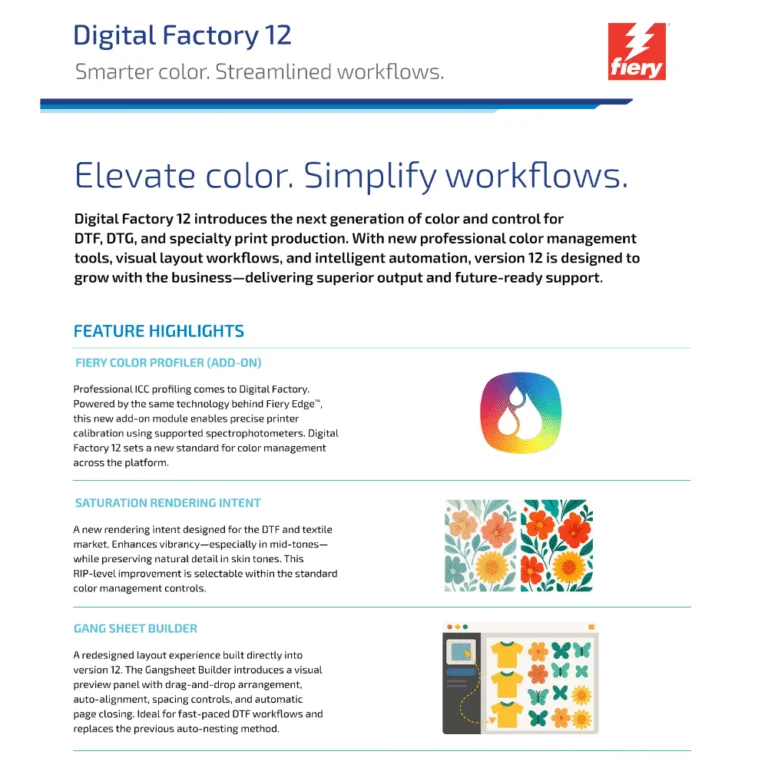
DTF (Direct-to-Film) printing is a modern textile decoration technology where designs are printed onto a special film, coated with hot-melt adhesive powder, cured, and then heat-pressed onto fabric. It works on nearly all fabric types, delivers vivid colors with strong white ink coverage, and is now a mainstream solution for custom apparel and high-volume production.

DTF RIP software is specialized software that prepares artwork so it can be printed correctly on a DTF printer.
What it does:

  • Converts designs into print-ready files
  • Generates and controls white ink underbase
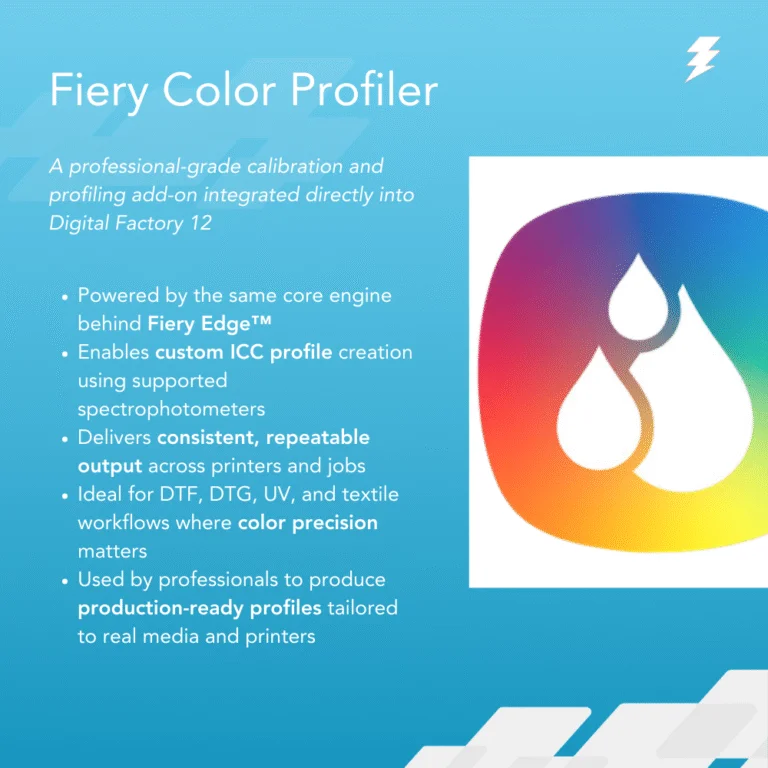
  • Manages colors, ICC profiles, and ink density
  • Creates halftones for smooth gradients
  • Sends the job to the printer with correct settings

In simple terms:
DTF RIP software tells the printer how to print your design correctly on film.

CADlink Digital Factory DTF RIP is often considered one of the best because:

  • It’s built specifically for garment decoration workflows like DTF, DTG, and heat transfer— not just general RIPing.
  • It offers excellent white underbase control, which is critical for bright, clean prints on dark fabrics.
  • It has advanced color management and ICC profiling, giving more accurate and consistent color output.
  • It includes powerful screening and halftone options for smoother gradients and fine detail.
  • It supports a wide range of printers and formats, from desktop to wide-format production.
  • It’s stable, reliable, and widely used in professional print shops around the world.

In short, Digital Factory gives better control, consistency, and production reliability than many generic RIPs — especially for DTF workflows.

Cadlink Digital Factory DTF RIP Desktop Edition:

  • For smaller setups (A2 sheets or rolls up to 17″).
  • Supports desktop printers like Epson®.
  • Best for individual or small-scale DTF printing.

Cadlink Digital Factory DTF RIP Large Format Production Edition:

  • For wide-format printers (A1+ or rolls over 24″).
  • Handles multiple printers, enhanced queues, optimized for high-volume.
  • Ideal for commercial shops needing scale and throughput.

In short: Desktop = small-scale, single-printer use; Production = large-scale, multi-printer, high-volume workflows.

Yes — you can test Cadlink Digital Factory DTF RIP software before buying. A free 15 day trial version is available from authorized resellers

Trial Availability

  • Length: 15 days (full-featured trial).
  • Editions: Available for Digital Factory DTF Desktop Edition and Production Edition.

Click on Link below to register for Free 15 Day Trial:
https://dtfgears.com/get-free-trial/

  • On the old computer, open Digital Factory and go to Help → Deactivate Product.
  • Install the same version of Digital Factory on the new computer.
  • Launch it and activate using the same license key (internet required).
  • The license can be used on one computer at a time.

If the old computer is not accessible:
Contact CADlink support or DTF Gears and request a license reset.
Please watch the video below for more details:
https://www.youtube.com/shorts/9vfGeakSXV0

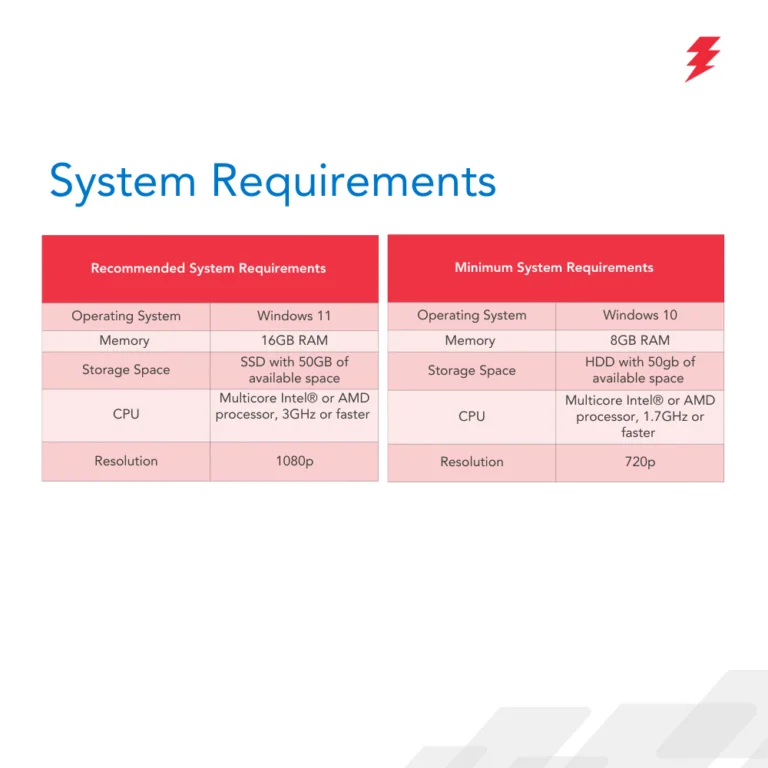
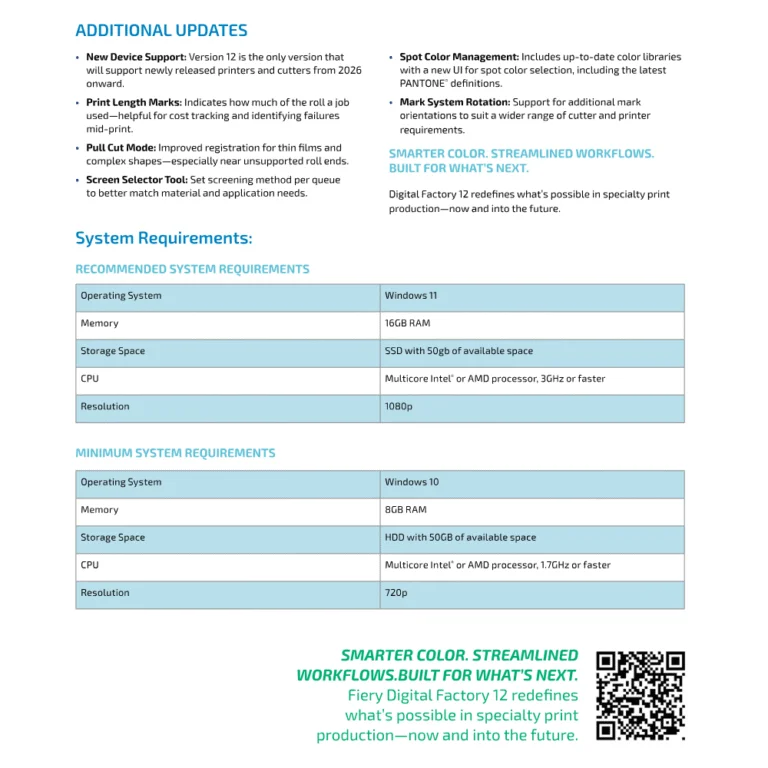
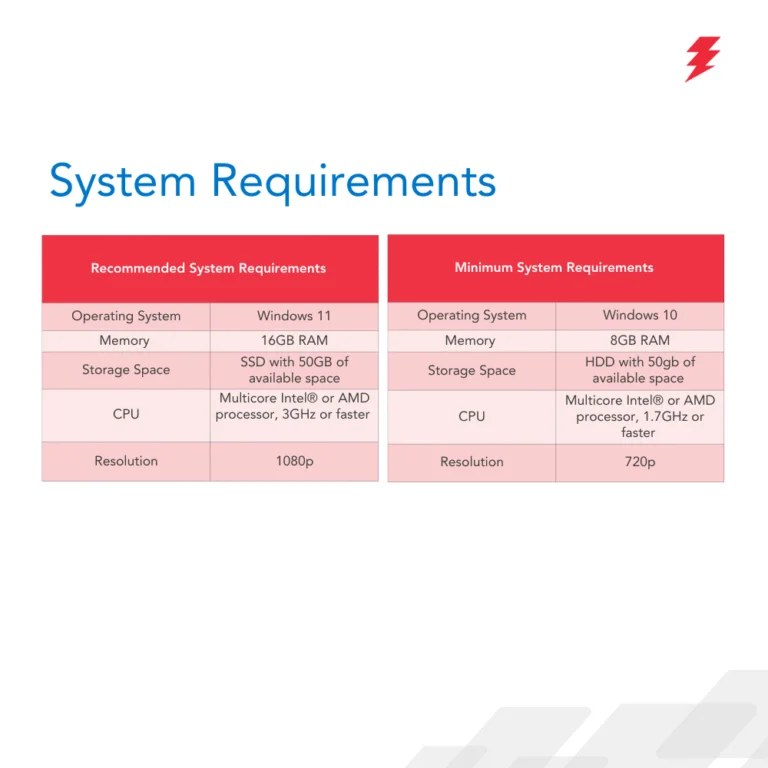
No — CADlink Digital Factory is not natively compatible with macOS. It is designed to run on Windows only (Windows 10/11) and does not have a Mac version.
If you have a Mac
You can only run it by creating a Windows environment using virtualization software (e.g., Parallels Desktop, VMware Fusion), but this is not officially supported on newer Macs with Apple Silicon (M-series) and may not work reliably.
Best approach: use a Windows PC for CADlink to avoid compatibility issues.

Yes — Cadlink Digital Factory does work with many Chinese DTF printers. It supports a wide range of OEM and Chinese brands (e.g., Audley, Sublistar, TitanJet, PIT, AGA-DTF, Oric, etc.), though setup may require proper TCP/IP configuration and ensuring the RIP software runs on the same computer as the printer’s control software

For Details check the article Below:

https://dtfgears.com/using-cadlink-software-with-chinese-dtf-printers-over-a-network-or-ethernet-connection/

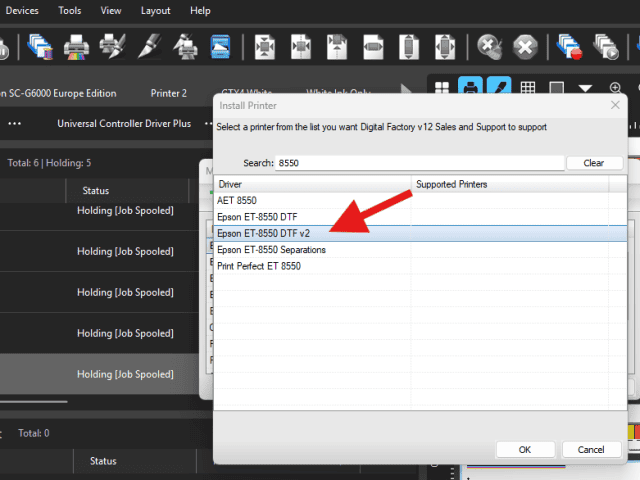
Make sure that you install the v2 driver for the 8550. The v2 will allow changing ink orders. Go to Devices – Manage Devices. Then install printer and type in 8550. This should give you the v2 driver here:
Open the CADlink software and navigate to Queue > Properties. In the left pane, expand Color Layer, then select Processing Options. From here, you can adjust and increase the Underbase settings.

If CADlink asks to save the file instead of printing, it means no valid printer is selected.
Steps to fix:

1. Go to File → Print and select your actual printer queue (not “Print to File”).
2. Open Queue → Properties and confirm the correct printer model and connection.
3. Make sure the printer is online in Windows.
4. If it still happens, delete and re-add the printer queue in CADlink.
5. Restart CADlink (and the PC if needed).

Tip: Re-adding the printer queue fixes this in most cases.

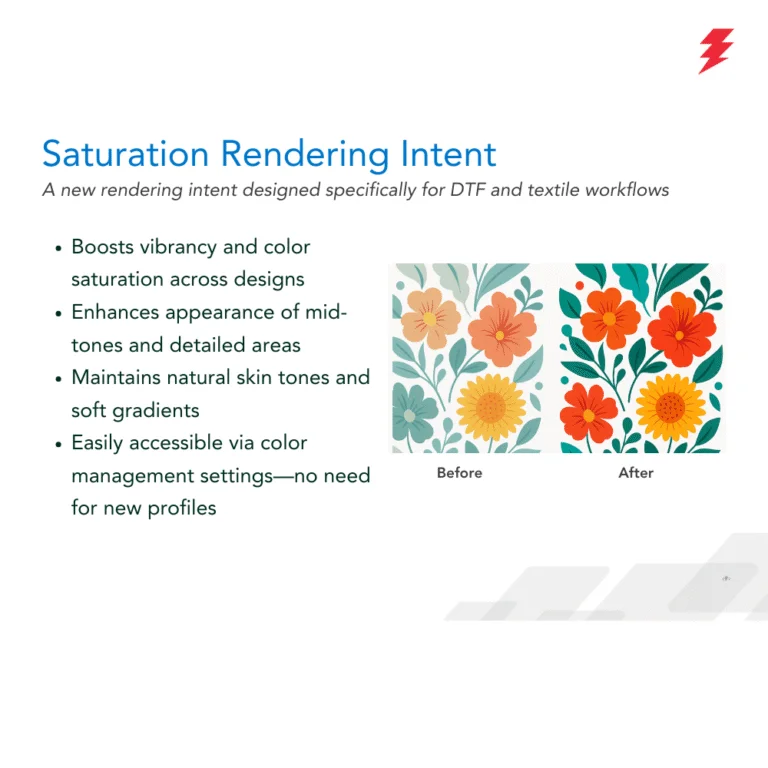
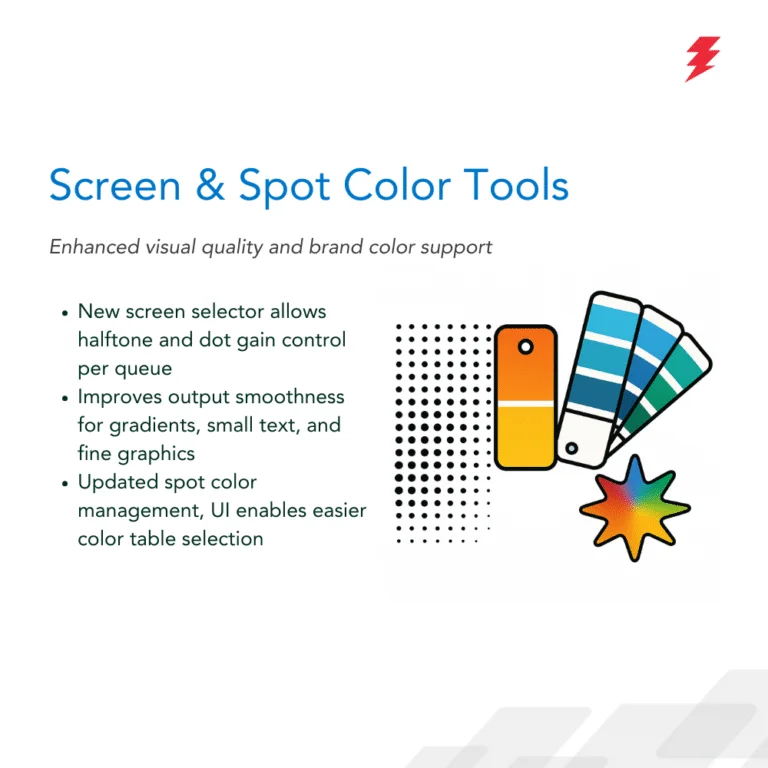
Role of Halftones in V12

  • Create smooth shades/gradients with dot patterns
  • Control white ink underbase strength
  • Improve detail, garment feel, and reduce ink issues

Where to Find Settings

  • Queue → Properties → Color Layer → Screening / Halftone

Options

  • AM (Traditional): Stable dots, solid areas
  • FM/Stochastic: Fine dots, smooth gradients/detail
  • Hybrid: Balance of gradients + solid coverage

When to Adjust

  • If gradients look grainy
  • White ink feels heavy/rough
  • Fine detail is lost
  • Cracking after heat press

Reviews

1 review for FluidMask Add-On Module for Digital Factory

  1. Chris Windeler

    The process was smooth, quick, and handled with great kindness. Thank you for the excellent work!

Add a review

Your email address will not be published. Required fields are marked *

Post comment

FAQ’s

DTF stands for Direct-to-Film — it’s a printing method where designs are printed onto a special film, coated with adhesive powder, and then heat-transferred onto fabric. It’s a popular alternative to DTG (Direct-to-Garment) printing, especially for vibrant, durable prints on a wide variety of materials.

DTF software stands for Direct-to-Film printing software, and it’s a specialized type of RIP (Raster Image Processor) software designed specifically for the DTF printing process. It prepares digital artwork for optimal printing on a special film, which is later transferred onto fabric (usually cotton or polyester) using heat and adhesive powder.

A RIP software converts vector and raster images (like PDFs, PNGs, or AI files) into a format that a printer can understand — essentially “translating” digital design files into precise instructions for ink placement, color management, and print quality.

CADlink Technology, now operating as Fiery LLC (CADlink), is a Canadian software company based in Ottawa, Ontario. CADlink specializes in developing design and production software solutions tailored for various industries.

  • Designed specifically for specialty printing (unlike some RIPs focused only on signage or offset)
  • Offers high fidelity color accuracy and ink optimization
  • Saves time and reduces material waste with smart layout features

Yes, you absolutely can test DTF software for free—most major DTF RIP software providers offer a trial version so you can try it out before purchasing. We also offer Free 15-day trial.

Item reviews

1 review for FluidMask Add-On Module for Digital Factory

  1. Chris Windeler

    The process was smooth, quick, and handled with great kindness. Thank you for the excellent work!

Add a review

Your email address will not be published. Required fields are marked *

Post comment