
Printheads for DTF, UV and DTG printers
Genuine Epson printheads and original Procolored and xTool replacements for DTF, UV and DTG printers.
- 8 printheads
- Epson, eufyMake, Procolored, xTool
- Check your printer before ordering
-
Procolored
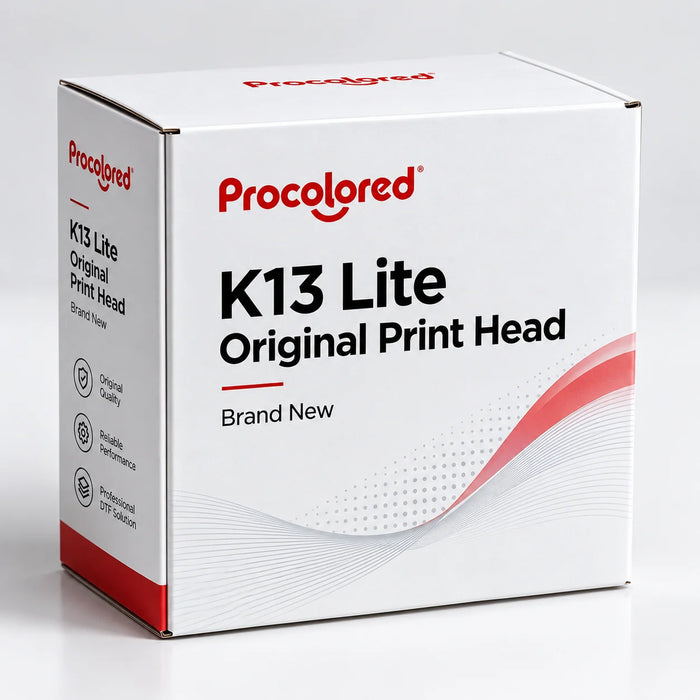
The Procolored K13 Lite Original Printhead is a 100% brand-new, original replacement printhead designed for compatible Procolored K13 Lite DTF printer configurations. Featuring a Single-Array Printhead Configuration, this genuine replacement component is intended for printer maintenance, servicing, and printhead replacement.
Using the correct original printhead helps ensure proper compatibility with the printer and supports reliable printing performance when installed and maintained according to the manufacturer's specifications.
Key Features
- 100% brand-new and original printhead
- Designed for compatible Procolored K13 Lite DTF printers
- Suitable as a replacement printhead for maintenance and service
- Manufactured for compatibility with the supported printer configuration
- Helps restore consistent printing performance when the existing printhead requires replacement
- Recommended for installation by a qualified technician or experienced printer operator
Product Specifications
Specification Details Product Procolored K13 Lite Original Printhead Condition Brand New / Original Printer Compatibility Procolored K13 Lite Product Type Replacement Printhead Application DTF Printer Maintenance & Repair Printhead Type Original Replacement Printhead Ink Compatibility
This printhead is designed for use with the compatible ink system specified for the Procolored K13 Lite. Ink compatibility should always be confirmed according to the printer manufacturer's specifications before installation.
Important: Do not use incompatible ink types or alter the printer's approved ink configuration, as this may affect print quality, printhead performance, and warranty coverage.
Installation & Maintenance
Proper installation, regular printhead cleaning, and following the manufacturer's recommended maintenance schedule are important for achieving reliable printhead performance and extending service life.
If you are replacing a damaged or worn printhead, we recommend confirming the exact replacement part and printer configuration before ordering.
When does a K13 Lite print head need replacing?
Most print problems on the Procolored K13 Lite are fixed with cleaning. Replace the print head when you still see these after several head cleanings and a capping-station clean:
- Nozzle check still has gaps or missing lines in one or more colors, or in white.
- Banding or streaks that come back right after cleaning.
- White ink not firing even with fresh, stirred white ink and a clean damper.
- Ink deflection (colors spraying sideways) or a head that was damaged by a crash or dried ink.
Not sure yet? Work through our K13 Lite print head problems guide first. It covers the cleaning steps that save most heads.
Procolored K13 Lite print head replacement: what to expect
- Prepare: power off, unplug, and have lint-free swabs and cleaning solution ready.
- Remove the old head: release the dampers and ribbon cables, then unscrew the head from the carriage.
- Fit the new original head: seat it, reconnect the cables, then re-attach the dampers.
- Prime and test: run an ink fill or head cleaning, then print a nozzle check.
- Align: run head alignment so colors and white line up.
Always follow the official Procolored K13 Lite manual for your printer's exact steps. If the printer shows a "no print head" or head error after fitting, power off and re-seat the ribbon cables.
Compatibility
This is the original replacement print head for the Procolored K13 Lite DTF printer. Other Procolored models use different heads. Check yours with our printhead compatibility finder or browse all printheads and spare parts.
K13 Lite print head: quick answers
How much is a Procolored K13 Lite print head replacement?
The original K13 Lite print head is $280 at DTF Gears (regular $399).
Is this the original Procolored print head?
Yes. It is a 100% brand-new, original Procolored print head made for the K13 Lite, not a refurbished or third-party head.
How do I know if my K13 Lite print head is bad or just clogged?
If nozzle-check gaps disappear after cleaning, the head is clogged, not bad. If the same lines stay missing after several cleanings, a capping-station clean and fresh ink, the head likely needs replacing.
Can I replace the K13 Lite print head myself?
Yes, most users replace it themselves in under an hour by following the Procolored manual. Take care with the ribbon cables, then run an ink fill, nozzle check and alignment.
How long does a K13 Lite print head last?
It depends on use and maintenance. Daily printing, regular cleaning and keeping the printer in a stable, humid-controlled room give the longest head life.
-
xTool
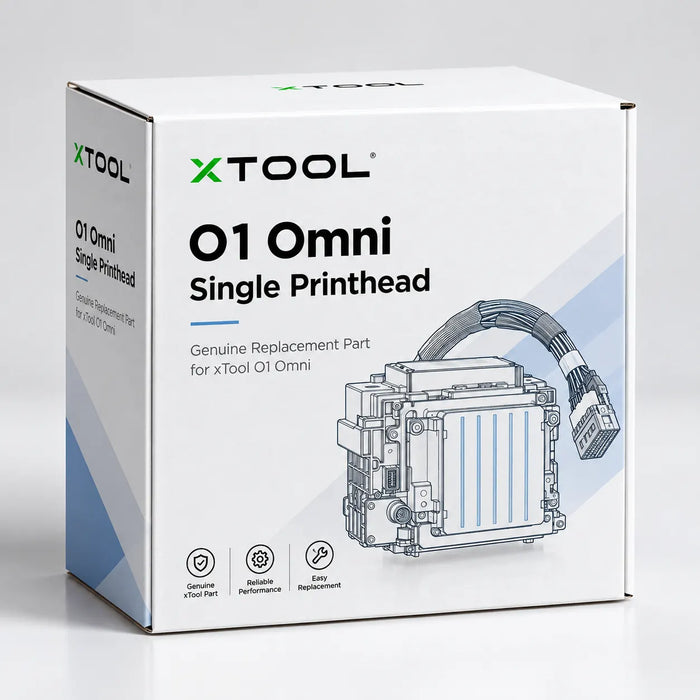
The xTool O1 Omni Printer Printhead Kit is a replacement service component designed for compatible xTool O1 Omni printer configurations. It is intended for printer maintenance, servicing, and printhead replacement when the original printhead requires replacement.
The O1 Omni uses configuration-specific printhead components, so it is important to verify the exact printhead kit required for your machine before placing an order.
Key Features
- Replacement printhead kit for compatible xTool O1 Omni printers
- Available in UV and DTG printhead kit configurations
- Designed for xTool O1 Omni printer maintenance and service
- Suitable for replacing a worn, damaged, or malfunctioning printhead
- Helps maintain consistent print quality and reliable printer performance
- Configuration-specific component — verify compatibility before ordering
- Genuine replacement service component for supported xTool O1 Omni configurations
Compatibility
Compatible Printer:
xTool O1 Omni PrinterProduct Type:
Replacement Printhead / Printer Service PartApplication:
Printer maintenance, servicing, and printhead replacementImportant Compatibility Note
The xTool O1 Omni Printhead Kit is configuration-specific. Before ordering, please confirm whether your O1 Omni printer requires the UV printhead kit or DTG printhead kit, as the appropriate replacement part may vary depending on the printer configuration.
If you are unsure which printhead kit your xTool O1 Omni requires, please contact us before ordering so we can help verify the correct replacement part.
Why Replace the Printhead?
A printhead is a critical component of the xTool O1 Omni printing system. If the printhead becomes worn, clogged, damaged, or produces inconsistent output, replacing it with the correct compatible printhead kit can help restore normal printing performance.
Always follow xTool's recommended maintenance, cleaning, and installation procedures when replacing the printhead.
When does an xTool O1 Omni print head need replacing?
Most print problems on the O1 Omni clear up with the printer's built-in cleaning. Replace the print head when these keep coming back after several cleanings:
- Nozzle check still shows gaps or missing lines in one or more colors, or in white.
- Banding or streaks across UV prints or DT fabric transfers that return right after cleaning.
- White or varnish not printing even with fresh ink cartridges.
- Ink spraying sideways, or a head damaged by a crash or dried ink.
Which xTool O1 Omni print head kit do I need?
The O1 Omni uses different print head kits for UV and DTG/DT fabric printing, so pick the kit that matches the head you are replacing:
Kit Use it for Price Kit-01 UV UV print head (Kit-01 position) $399 Kit-02 UV UV print head (Kit-02 position) $399 Kit-01 DTG DTG / DT fabric print head $399 Not sure which one your printer uses? Check the kit name on your old print head or in the xTool software, or call us at (+1) 877-576-8415 with your O1 Omni setup (single-head UV, dual-head UV, or UV + DT fabric) and we'll confirm it before you order.
xTool O1 Omni print head replacement: what to expect
- Power off the printer and unplug it.
- Remove the old print head kit following xTool's replacement guide for the O1 Omni.
- Fit the new kit, making sure it is fully seated and the connectors are secure.
- Prime the ink and run a print head cleaning from the xTool software.
- Print a nozzle check and run alignment before your next job.
Keep your new head printing well with the xTool O1 Omni Essential Ink Set ($169.99) and regular cleaning. Need a printer or upgrade? See all xTool O1 Omni printer bundles, or browse every DTF and UV print head we sell.
xTool O1 Omni print head: quick answers
How much is an xTool O1 Omni print head replacement?
Each xTool O1 Omni print head kit (Kit-01 UV, Kit-02 UV or Kit-01 DTG) is $399 at DTF Gears.
Is this a genuine xTool print head?
Yes. It is the genuine xTool replacement print head kit made for the O1 Omni, not a third-party or refurbished head.
How do I know if my O1 Omni print head is bad or just clogged?
If nozzle-check gaps clear after cleaning, the head is clogged, not bad. If the same lines stay missing after several cleanings with fresh ink, the print head likely needs replacing.
Can I replace the xTool O1 Omni print head myself?
Yes. The kit is designed for user replacement. Follow xTool's guide, then prime the ink, run a nozzle check and align the head.
Do the UV and DTG print head kits work the same way?
No. UV and DTG/DT fabric printing use different kits, so order the one that matches the head you are replacing. Contact us if you are unsure.
-
Epson
Genuine Epson XP600 / F1080-A1 Printhead – Original Epson Replacement
The Genuine Epson XP600 / F1080-A1 Printhead is an original Epson printhead designed for compatible DTF, UV, dye-sublimation, and other supported digital printing applications. This genuine Epson replacement printhead features 1,080 nozzles, MicroPiezo technology, and variable droplet capabilities for precise ink placement and consistent print quality.
Each genuine printhead includes an Epson holographic verification sticker for authenticity verification.
Epson Part Number: F1080-A1
Manufacturer Part Number: FA09121
Manufacturer: Epson
Printhead Technology: MicroPiezo
Printhead Type: Epson XP600 / F1080-A1Key Features
- Genuine Epson XP600 / F1080-A1 printhead
- Original Epson replacement component
- 1,080-nozzle architecture with six nozzle rows
- MicroPiezo printhead technology
- Variable droplet technology for detailed and smooth image output
- Suitable for compatible DTF, UV, sublimation, and water-based printing systems
- Authenticity verification with an Epson holographic sticker
- Designed for compatible printer platforms using the Epson XP600 / F1080 printhead
Product Specifications
Specification Details Manufacturer Epson Part Number F1080-A1 Manufacturer Part Number FA09121 Printhead Family Epson XP600 / F1080 Technology MicroPiezo Nozzle Count 1,080 Nozzle Rows 6 rows Nozzle Pitch 1/180 inch Nozzle Resolution 180 npi per row / 360 npi for 2 rows Jetting Frequency 46 kHz (Single Mode); 11.52 kHz (Multi Mode) Droplet Volume 4.5, 9, 20, 40 pl (Multi Mode) Viscosity Range 3–5 mPa·s Resolution Up to 1440 dpi, depending on printer configuration Dimensions 84.9 × 57.2 × 42.6 mm Weight Approximately 60 g Positioning Mechanism Reference Hole Country of Origin Japan Compatible Printer Models
The Epson XP600 / F1080-A1 printhead is used across a wide range of compatible DTF and digital printing platforms. Compatibility depends on the printer's specific configuration, electronics, ink system, and printhead setup.
Compatible or commonly supported printer models include:
- Coldesi 12H2 BASIC DTF
- Colorsun 30CM-B XP600
- Colorsun 30CM-C XP600
- Colorsun 42CM XP600 DTF
- Colorsun 60C DTF
- DTF Track Speed A3
- Epson XP600
- Epson XP601
- Epson XP820
- Epson XP950
- Fedar FD30 DTF
- Procolored F13 Pro
- Ser Tec 300 Fast
- Sinotec Digital Ollin OL XP600
- Sublistar DTF-300 Ultra A (All-in-One)
- Yuxunda DTF-300 Pro Max
- Yuxunda DTF-300 Plus
- Yuxunda DTF-400 Pro Max
- Yuxunda DTF-400 Plus
- DTF Station Prestige R2
- InkSonic U13 / U13D
- InkSonic H13
- Other DTF printers specifically designed for the Epson XP600 / F1080 printhead
Compatibility Note: Before ordering, please verify that your printer is specifically designed for the Epson XP600 / F1080-A1 printhead. Printhead compatibility can vary by printer model, firmware, electrical configuration, ink system, and installation requirements.
Why Choose the Genuine Epson XP600 / F1080-A1?
1,080-Nozzle Architecture
The XP600 / F1080-A1 features 1,080 nozzles arranged across six rows, providing a balance of print quality, productivity, and operating efficiency for compatible printing applications.
Variable Droplet Technology
Multiple droplet sizes allow the printhead to deliver precise ink placement while supporting detailed graphics, smoother tonal transitions, and consistent image reproduction.
MicroPiezo Technology
Epson's MicroPiezo technology provides precise control over ink droplet formation, making the XP600 / F1080-A1 a widely used printhead platform for compatible digital printing systems.
Widely Used DTF Printhead Platform
The Epson XP600 / F1080 printhead is commonly incorporated into compact and professional DTF printer systems, including a variety of 13-inch, 14-inch, and other wide-format configurations.
Genuine Epson Replacement
This is a genuine Epson F1080-A1 printhead, not an aftermarket replacement. Authenticity verification is provided through the Epson holographic sticker.
Important Installation Information
Always replace the printhead cables when installing a new printhead. Using old, damaged, or incompatible printhead cables can potentially cause electrical issues and may damage the new printhead.
Professional installation is recommended. Follow the printer manufacturer's installation, cleaning, ink-loading, and maintenance procedures when replacing the printhead.
Warranty & Return Policy
Due to the nature of DTF inks and other printing fluids, printheads are considered consumable/service components.
Once the printhead has been installed or ink has been introduced, we cannot accept returns, exchanges, or refunds. All printhead sales are final after installation or use.
Please verify the printhead model, part number, printer compatibility, and required configuration before installation.
For assistance confirming compatibility, please contact DTF Gears before placing your order.
When does an Epson XP600 print head need replacing?
Most XP600 problems clear with cleaning. Replace the print head when these stay after several cleanings:
- Nozzle check still shows gaps or missing lines after several head cleanings and a capping-station clean.
- Banding or streaks that return right after cleaning.
- White ink not firing even with fresh, stirred ink and clean dampers.
- Ink deflection (drops spraying sideways), or a head damaged by a crash or dried ink.
Printers that use the Epson XP600 (F1080-A1) print head
The XP600 / F1080-A1 is used in many A3 DTF and small UV printers, including:
- Procolored F13 / F13 Pro and P13 A3 DTF printers
- Procolored VF13 Pro Panda UV DTF printer (dual XP600)
- Audley A3 DTF printer (2 × XP600)
- Audley 13" and 12" UV DTF printers (3 × and 4 × XP600)
Check that your printer's manual or old head label says XP600 or F1080-A1 before ordering. A Procolored K13 Lite uses a different head: get the K13 Lite print head instead.
Epson XP600 print head replacement: what to expect
- Power off and unplug the printer. Have lint-free swabs and cleaning solution ready.
- Remove the old head: release the dampers and ribbon cables, then unscrew the head from the carriage.
- Fit the new head: seat it squarely, reconnect the cables gently, then re-attach the dampers.
- Prime and test: run an ink fill or head cleaning, then print a nozzle check.
- Align: run head alignment (and bi-directional alignment) before production.
Always follow your printer maker's manual for the exact steps. If the printer reports a head error after fitting, power off and re-seat the ribbon cables.
Not sure which head your printer uses? Use our print head compatibility finder, browse every DTF and UV print head, or call (+1) 877-576-8415 and we'll confirm it before you order.
Epson XP600 print head: quick answers
How much is an Epson XP600 print head?
The genuine Epson XP600 (F1080-A1) print head is $399 at DTF Gears.
Is this a genuine Epson XP600 print head?
Yes. It is an original Epson XP600 / F1080-A1 print head, not a refurbished or copy head.
What is the difference between XP600 and F1080-A1?
They are the same print head. XP600 is the printer it first came from and F1080-A1 is Epson's part code.
Which printers use the XP600 print head?
Many A3 DTF and small UV printers, including the Procolored F13 and P13, the Procolored VF13 Pro Panda and the Audley A3 DTF printer. Check your printer's manual or old head label first.
How long does an XP600 print head last?
It depends on use and maintenance. Daily printing, regular cleaning and a humidity-controlled room give the longest head life.
-
eufyMakeSale
eufyMake E1 Genuine Replacement UV Printhead | Official Spare Part for A3 3D‑Texture UV Printer
SKU Anker-Eufymake-UV-Printhead
The genuine eufyMake E1 replacement print head restores your eufyMake E1 3D-Texture UV Printer to full quality. It is the official spare part for the E1, printing CMYK + White + Gloss UV at up to 1440 DPI and 3D textures up to 5 mm high on wood, metal, acrylic, glass, leather, ceramic and more.
Key benefits
- Genuine eufyMake part: the official E1 print head, made to original specifications.
- Easy replacement: quick-release design with guided steps in the eufyMake app (Device → Component Lifespan → Print Head → Replace).
- Fixes lasting print problems: restores sharp detail and accurate color when clogs, streaks or missing lines won't clean out.
- Longer head life: pair it with genuine eufyMake UV inks and the JetClean cleaning cartridge.
When does a eufyMake E1 print head need replacing?
Run the E1's cleaning and a nozzle check first. Replace the print head when these stay after several cleanings and a fresh JetClean cleaning cartridge:
- Nozzle check still has gaps or missing lines in one or more colors, white or gloss.
- Banding or streaks that come back right after cleaning.
- The eufyMake app shows the print head near or past the end of its lifespan.
- The head was damaged by dried ink or a collision.
If the problem is around the head rather than the head itself, try the eufyMake E1 print head station kit ($29.99) first. Our eufyMake E1 print head maintenance guide walks through every cleaning step.
eufyMake E1 print head replacement: step by step
- Open the eufyMake app and go to Device → Component Lifespan → Print Head → Replace.
- Follow the on-screen steps to release and remove the old print head.
- Fit the new print head until it clicks into place.
- Let the app prime the ink, then print a nozzle check.
- Run alignment before your next 3D-texture or rotary job.
Specifications
Compatibility eufyMake E1 UV Printer (all versions, including 3D texture, rotary and UV DTF use) Technology Piezo inkjet, CMYK + White + Gloss UV Resolution Up to 1440 DPI Texture height Up to 5 mm Condition Brand new, genuine eufyMake part Works for every E1 job
- Direct-to-object UV printing on flat items
- Rotary printing on mugs, bottles and tumblers
- Roll-to-film jobs and UV DTF transfers
- Custom merchandise, signage and personalized gifts
See every DTF and UV print head we sell, or call (+1) 877-576-8415 if you're not sure this is the right part.
eufyMake E1 print head: quick answers
How much is a eufyMake E1 print head replacement?
The genuine eufyMake E1 replacement print head is $599.99 at DTF Gears (regular $699.99).
Is this a genuine eufyMake print head?
Yes. It is the official eufyMake spare part made for the E1 UV printer, not a third-party head.
How do I replace the eufyMake E1 print head?
In the eufyMake app go to Device, Component Lifespan, Print Head, Replace, and follow the guided steps. Then prime the ink, print a nozzle check and run alignment.
How do I know if my E1 print head is bad or just clogged?
If gaps clear after cleaning, the head is clogged. If the same lines stay missing after several cleanings and a fresh JetClean cartridge, or the app shows the head at end of life, replace it.
Does it work with the rotary attachment and UV DTF?
Yes. It is the same print head the E1 uses for flatbed, rotary, roll-to-film and UV DTF printing.
-
Epson
Genuine Epson I1600-A1 Water Printhead – 1,600 Nozzle Unlocked Printhead
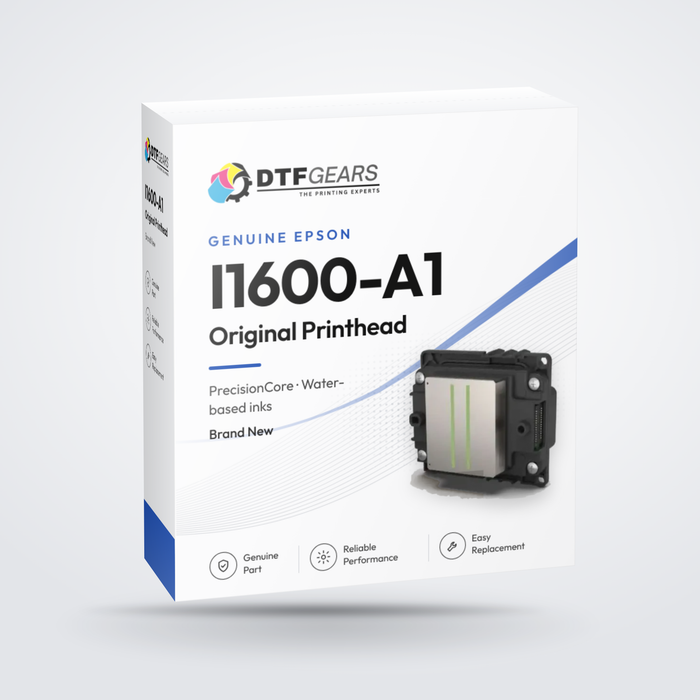
The Epson I1600-A1 Water Printhead is a genuine Epson PrecisionCore MicroTFP printhead designed for compatible aqueous and water-based ink printing systems. With a 1.33-inch effective print width, 1,600 nozzles, and up to 600 npi high-density resolution, the I1600-A1 provides a combination of productivity, print quality, and precise ink placement.
This unlocked Epson I1600-A1 Water printhead is designed for compatible printer configurations using water-based or aqueous inks.
Manufacturer: Epson
Manufacturer Part Number: I1600-A1
Printhead Technology: PrecisionCore MicroTFP
Ink Type: Aqueous / Water-Based
Printhead Status: UnlockedKey Features
- Genuine Epson I1600-A1 Water printhead
- 1,600-nozzle architecture with 4 nozzle rows
- 600 npi high-density resolution
- 1.33-inch (33.8 mm) effective print width
- Epson PrecisionCore MicroTFP technology
- Designed for compatible aqueous / water-based inks
- Unlocked printhead
- Variable droplet technology for detailed image reproduction and smooth tonal transitions
- Suitable for compatible DTF and digital printing systems
- Manufactured in Japan
Product Specifications
Specification Details Manufacturer Epson Manufacturer Part Number I1600-A1 Printhead Type PrecisionCore MicroTFP Ink Type Aqueous / Water-Based Printhead Status Unlocked Nozzle Count 1,600 Nozzle Rows 4 rows Nozzle Pitch 1/300 inch Nozzle Resolution 300 npi per row / 600 npi for 2 rows Maximum Ink Colors 4 colors Effective Print Width 33.8 mm / 1.33 inches Dimensions 69.1 × 59.4 × 35.6 mm Weight Approximately 80 g Droplet Technology Variable Droplet Viscosity Range 3–4 mPa·s Positioning Mechanism Reference Hole Manufacturer Warranty Included Country of Origin Japan Droplet Ejection Performance
The Epson I1600-A1 supports multiple droplet sizes for precise ink placement and high-quality image reproduction:
- Binary: 6 pl at 43.2 kHz
- 3-Level Grayscale: 6.3 / 12.3 pl at 21.6 kHz
- 4-Level Grayscale: 3.8 / 6.1 / 9.4 pl at 21.6 kHz
Why Choose the Epson I1600-A1 Water Printhead?
1,600-Nozzle Architecture
The I1600-A1 features 1,600 nozzles arranged across four rows, providing high nozzle density for efficient and reliable printing in compatible systems.
PrecisionCore MicroTFP Technology
Epson's PrecisionCore MicroTFP technology is engineered for precise ink droplet placement and consistent print output.
600 npi High-Density Resolution
The printhead supports up to 600 npi resolution across two nozzle rows, helping produce detailed graphics and smooth tonal transitions.
1.33-Inch Effective Print Width
With a 33.8 mm (1.33-inch) effective print width, the I1600-A1 is suitable for compact and multi-printhead configurations.
Variable Droplet Technology
Multiple droplet sizes provide greater control over ink placement, helping produce fine details, smoother gradients, and consistent image quality.
Unlocked Configuration
The unlocked I1600-A1 is intended for compatible printer systems specifically designed to operate with an unlocked Epson I1600-A1 printhead.
Printer Compatibility
The Epson I1600-A1 Water printhead is compatible with select printer configurations, including:
- Infiniti FY-200A
- Infiniti FY-AF230
- Sublistar DTF-300 Ultra A (All-in-One)
- Sublistar DTF-450 Ultra A (All-in-One)
- Sublistar DTF-mini 600 Ultra
- Sublistar DTX-4050I DTF
- Sublistar DTX-4050I DTG
Compatibility Note: Printer compatibility can vary depending on the printer's electrical configuration, firmware, ink system, printhead configuration, and manufacturer specifications. Please verify the exact printhead model and configuration required for your printer before ordering.
Installation Recommendation
We strongly recommend replacing the printhead cables when installing a new printhead. Using worn, damaged, or previously compromised cables may increase the risk of electrical issues or damage to the new printhead.
Professional installation is recommended. Always follow the printer manufacturer's installation, cleaning, ink-loading, and maintenance procedures.
Warranty & Return Policy
This printhead carries a manufacturer warranty, subject to the applicable manufacturer's warranty terms.
Due to the nature of DTF inks and other printing fluids, printheads are considered consumable/service components.
Once the printhead has been installed or exposed to ink, we cannot accept returns, exchanges, or refunds. All sales are final after installation or use.
Warranty Exclusions
The following conditions are expressly excluded from warranty coverage:
- Printer defects related in any way to clogged nozzles
- Defects resulting from the use of non-original or incompatible ink
- Clogged, missing, or deviated nozzles
- Damage caused by misuse, abuse, accident, neglect, or improper operation
- Damage caused by improper storage or extended periods of inactivity without appropriate maintenance
- Defects resulting from failure to perform required periodic maintenance according to the manufacturer's documentation
- Damage resulting from operation for unintended purposes
- Damage caused by improper media loading or handling
- Defects, failures, or damage that are not considered manufacturing defects
- Issues caused by third-party applications, software, parts, components, or peripheral devices, including bulk ink systems
- Cosmetic defects that do not affect the functional performance of the printhead
Please verify the exact printhead model, part number, printer compatibility, ink type, and configuration before installation.
If you are unsure whether the Epson I1600-A1 Water printhead is compatible with your printer, please contact us before placing your order.
When does an Epson I1600 print head need replacing?
Replace the I1600-A1 print head when these stay after several cleanings:
- Nozzle check still shows gaps or missing lines after several head cleanings and a capping-station clean.
- Banding or streaks that return right after cleaning.
- White ink not firing even with fresh, stirred ink and clean dampers.
- Ink deflection (drops spraying sideways), or a head damaged by a crash or dried ink.
Which I1600 print head do I need?
Your printer Order Price DTF printers built on the standard Epson I1600-A1 This Epson I1600-A1 print head (unlocked) $649 xTool DTF Apparel Printer xTool Apparel Printer print head (same I1600 model, customized by xTool to fit its carriage) $999 The I1600-A1 is a water-based (aqueous) head with 1,600 nozzles in 4 rows, 600 npi and a 1.33" (33.8 mm) print width. For full specs and compatible printers, see our Epson I1600 print head guide.
Epson I1600-A1 print head replacement: what to expect
- Power off and unplug the printer. Have lint-free swabs and cleaning solution ready.
- Remove the old head: release the dampers and ribbon cables, then unscrew the head from the carriage.
- Fit the new head: seat it squarely, reconnect the cables gently, then re-attach the dampers.
- Prime and test: run an ink fill or head cleaning, then print a nozzle check.
- Align: run head alignment (and bi-directional alignment) before production.
Always follow your printer maker's manual for the exact steps. If the printer reports a head error after fitting, power off and re-seat the ribbon cables.
Not sure which head your printer uses? Use our print head compatibility finder, browse every DTF and UV print head, or call (+1) 877-576-8415 and we'll confirm it before you order.
Epson I1600-A1 print head: quick answers
How much is an Epson I1600 print head?
The genuine Epson I1600-A1 print head (unlocked) is $649 at DTF Gears.
Can I use this I1600 print head in the xTool Apparel Printer?
No. The xTool Apparel Printer uses an I1600 head customized by xTool to fit its carriage. Order the xTool Apparel Printer print head ($999) instead.
What does an unlocked I1600 print head mean?
An unlocked head is not tied to one printer maker's board, so it can be fitted to compatible I1600 DTF printers.
Is the I1600-A1 for water-based or UV ink?
The I1600-A1 is for water-based (aqueous) inks such as DTF pigment ink. UV printers need a UV version of the head.
How do I know if my I1600 print head is bad or just clogged?
If nozzle-check gaps clear after cleaning, the head is clogged. If the same lines stay missing after several cleanings and a capping-station clean, it likely needs replacing.
-
Epson
Genuine Epson I3200-A1 Water Printhead – 3,200 Nozzle Aqueous Printhead
The Epson I3200-A1 Water Printhead is a genuine Epson PrecisionCore MicroTFP printhead designed for high-productivity digital printing applications using aqueous, water-based inks. With a 1.33-inch effective print width, 3,200 nozzles, and 600 npi high-density resolution, the I3200-A1 delivers a strong combination of productivity, image quality, and reliable ink placement.
The printhead is supplied with the manifold and is designed specifically for printer systems engineered to use the Epson I3200-A1 Water configuration.
Epson Part Number: I3200-A1
Roland Part Number: 1000028697
Manufacturer: Epson
Printhead Technology: PrecisionCore MicroTFP
Ink Type: Aqueous / Water-Based
Printhead Configuration: 4-ColorKey Features
- Genuine Epson I3200-A1 Water printhead
- 3,200-nozzle architecture with 8 rows
- 600 npi high-density resolution
- 1.33-inch (33.8 mm) effective print width
- PrecisionCore MicroTFP printhead technology
- Designed for aqueous / water-based inks
- Supports up to 4 ink colors per printhead
- Supplied with the manifold
- Variable droplet technology for detailed and smooth image reproduction
- Suitable for compatible high-productivity digital printing and DTF systems
Important: I3200-A1 vs. I3200-A1 HD Compatibility
The Epson I3200-A1 and Epson I3200-A1 HD may have similar physical printhead structures, but they are not interchangeable.
Each printer is designed to operate with a specific printhead configuration. Installing the wrong version may result in compatibility or performance issues.
Epson I3200-A1 Water
- Supports up to 4 ink colors
- Features 4 manifold inputs (nipples) for damper connections
- Each color is delivered through a pair of nozzle rows
- Designed for compatible 4-color aqueous printing configurations
Epson I3200-A1 HD
- Supports up to 8 ink colors
- Features 8 manifold inputs (nipples) for damper connections
- Each color is delivered through a single nozzle row
- Designed for compatible 8-color printing configurations
Important: Do not substitute an I3200-A1 HD printhead for an I3200-A1 printhead, or vice versa. Always verify the exact printhead configuration required by your printer before ordering.
Product Specifications
Specification Details Manufacturer Epson Epson Part Number I3200-A1 Roland Part Number 1000028697 Printhead Type PrecisionCore MicroTFP Ink Type Aqueous / Water-Based Nozzle Count 3,200 Nozzle Rows 8 rows Nozzle Pitch 1/300 inch Nozzle Resolution 300 npi per row / 600 npi for 2 rows Maximum Ink Colors 4 colors Effective Print Width 33.8 mm / 1.33 inches Dimensions 69.1 × 59.4 × 35.6 mm Weight Approximately 82 g Droplet Technology Variable Droplet Viscosity Range 3–4 mPa·s Country of Origin Japan Manifold Included Droplet Ejection Performance
The Epson I3200-A1 supports multiple droplet sizes for precise ink placement and high-quality image reproduction:
- Binary: 6 pl at 43.2 kHz
- 3-Level Grayscale: 6.3 / 12.3 pl at 21.6 kHz
- 4-Level Grayscale: 3.8 / 6.1 / 9.4 pl at 21.6 kHz
Why Choose the Epson I3200-A1 Water Printhead?
3,200-Nozzle Architecture
The Epson I3200-A1 features 3,200 nozzles arranged across eight rows, providing high nozzle density for efficient, high-productivity printing.
PrecisionCore MicroTFP Technology
Epson's PrecisionCore MicroTFP technology is designed to provide precise and consistent ink droplet placement for reliable image reproduction.
600 npi High-Density Resolution
With up to 600 npi resolution across two nozzle rows, the I3200-A1 supports detailed output and smooth image reproduction in compatible printing systems.
Variable Droplet Technology
Multiple droplet sizes help support fine detail, smoother gradients, accurate ink placement, and consistent tonal transitions.
1.33-Inch Effective Print Width
The 33.8 mm (1.33-inch) effective print width makes the I3200-A1 suitable for high-productivity, multi-printhead configurations.
Four-Color Capability
The I3200-A1 Water configuration supports up to four ink colors per printhead, allowing compatible printer manufacturers to configure systems for CMYK, white, expanded-gamut, or other supported aqueous ink configurations.
Genuine Epson Replacement
This is a genuine Epson I3200-A1 printhead, designed for printer systems specifically engineered around the I3200-A1 configuration.
Printer Compatibility
The Epson I3200-A1 Water printhead is used in a wide range of compatible DTF and digital printing systems. Compatibility can vary by printer configuration, firmware, electronics, ink system, and manifold setup.
Compatible or commonly supported models include:
- Allwin AW-EP18
- Allwin AW-EP19
- Coldesi 24H2 DTF
- Coldesi 24H4 DTF
- Fedar FD1900
- Fedar FD5193E
- Fedar FD5194E
- Fedar FD5196E
- Fedar FD5198E
- Fedar FD60
- Fedar FD61915E-A
- Fedar FD6194E
- Fedar FD6196E
- Fedar FD6198E-A
- Fedar FD65-2
- Fedar FD70
- Fedar FD70-5
- Infiniti FY-2560
- Kingdom DTF / Andemes Knight A1
- LINKO / DTFLinko A602
- LINKO / DTFLinko B8048
- LINKO / DTFLinko K-60
- LINKO / DTFLinko K-607
- LINKO / DTFLinko KM-602
- OKAI OK-H6002
- Oric AINKJET DTF Super
- Oric A3 Mini320
- Oric A-6202
- Oric A-6203
- Oric A-6204
- Oric OR-1601TX
- Oric OR-1602TX
- Oric OR-1802TX
- Oric OR-1912TX PRO
- Oric OR-1915 TX
- Oric OR-1916 TX
- Oric OR-3215 TX
- Oric OR-3216 TX
- Oric OR-3224 TX
- Oric OR-620 MAX
- Oric OR-620 Pro
- Oric OR-6202
- Oric OR-6203
- Oric OR-6204
- Oric OR-7602
- Oric OR-7604HT
- Oric OR-A3 Mini330 DTF
- Potry BC-0302X-HTO1
- Potry HT-0604IA-01
- Procolored K8
- Procolored P13
- Rainbow Nova 6204
- Roland TY-300
- Sinocolor DTF-400A
- Sinocolor WJ-240S
- Sublistar DTF-1202 Star IV
- Sublistar DTF-1203 Star IV
- Sublistar DTF-1204 Star IV
- Sublistar DTF-1205 Star IV
- Sublistar DTF-300 Ultra A
- Sublistar DTF-450 Ultra A
- Sublistar DTF-6002 Lite
- Sublistar DTF-6002 Star IV
- Sublistar DTF-6003 Lite
- Sublistar DTF-6003 Star IV
- Sublistar DTF-6004 Flex
- Sublistar DTF-6004 Lite
- Sublistar DTF-6004 Star IV
- Sublistar DTF-6004G
- Sublistar DTF-6005 Star IV
- Sublistar DTF-6005 Turbo
- Sublistar DTF-6007 Turbo
- Sublistar DTF-6008 Turbo
- Sublistar DTF-mini 600 Ultra
- Sublistar DTG-4050II
- Sublistar SUB-1804TX
- Sublistar SUB-1806TX
- Sublistar SUB-1808TX
- Sublistar SUB-2215TX
- Sublistar SUB-2608TX
- Sublistar SUB-2615TX
- Sublistar SUB-3208TX
- Sublistar Subli-1924TX
- Titanjet I1600/I3200 DTF Series
- Xin Flying I3200 DTF Series
- Xuli X6-1804IS
- Xuli X6-1806IS
- Xuli X6-1806IS S500
- Yindu Digital Industrial DTF I3200 Series
- Yite Technology Industrial DTF 5-Head I3200
- Yuxunda DTF-300 Pro Max
- Yuxunda DTF-300 Plus
- Yuxunda DTF-400 Pro Max
- Yuxunda DTF-400 Plus
- Yuxunda DTF-600 Pro Max
- DTF Station Prestige L2
- DTF Station Prestige XL2
- CobraFlex CF-24 with Epson I3200-A1 configuration
- ColDesi DigitalHeat FX DTF-24H2 / 24H4 / 24H5 / 30H2
- Hanrun PRO-A600
- Other compatible I3200-based DTF and digital printing systems
Compatibility Note: The list above is provided as a reference for compatible or commonly supported configurations. Always confirm the exact printhead model, ink type, manifold configuration, and printer specification before ordering.
Installation Recommendation
We strongly recommend replacing the printhead cables when installing a new printhead. New cables can help reduce the risk of issues associated with worn, damaged, or previously compromised cables.
Printhead installation should be performed by a qualified technician or an experienced printer operator following the printer manufacturer's recommended installation and maintenance procedures.
Warranty & Return Policy
Due to the nature of DTF inks and other printing fluids, printheads are considered consumable/service components.
Once the printhead has been installed or exposed to ink, we cannot accept returns, exchanges, or refunds. All sales are final after installation or use.
Please verify the exact printhead model, part number, printer compatibility, and configuration before installation.
If you are unsure whether the Epson I3200-A1 Water printhead is correct for your printer, please contact us before placing your order.
When does an Epson I3200-A1 print head need replacing?
On 24" production printers a weak head costs film and ink fast. Replace the I3200-A1 when these stay after several cleanings:
- Nozzle check still shows gaps or missing lines after several head cleanings and a capping-station clean.
- Banding or streaks that return right after cleaning.
- White ink not firing even with fresh, stirred ink and clean dampers.
- Ink deflection (drops spraying sideways), or a head damaged by a crash or dried ink.
Printers that use the Epson I3200-A1 print head
The I3200-A1 is the water-based head used in most 24" DTF production printers, including our Audley line:
- Audley S7070-3 24" DTF printer (2 × I3200-A1)
- Audley 8072-3 24" Wi-Fi DTF printer (2 × I3200-A1)
- Audley S8074-3 24" DTF printer (4 × I3200-A1)
- Audley 8076-3 24" DTF printer (6 heads)
I3200-A1 vs I3200-A1 HD: they are not always interchangeable. Check your old head's label before ordering. For UV printers, order the Epson I3200-U1 UV print head.
Epson I3200-A1 print head replacement: what to expect
- Power off and unplug the printer. Have lint-free swabs and cleaning solution ready.
- Remove the old head: release the dampers and ribbon cables, then unscrew the head from the carriage.
- Fit the new head: seat it squarely, reconnect the cables gently, then re-attach the dampers.
- Prime and test: run an ink fill or head cleaning, then print a nozzle check.
- Align: run head alignment (and bi-directional alignment) before production.
Always follow your printer maker's manual for the exact steps. If the printer reports a head error after fitting, power off and re-seat the ribbon cables.
Not sure which head your printer uses? Use our print head compatibility finder, browse every DTF and UV print head, or call (+1) 877-576-8415 and we'll confirm it before you order.
Epson I3200-A1 print head: quick answers
How much is an Epson I3200-A1 print head?
The genuine Epson I3200-A1 print head is $999 at DTF Gears.
Which printers use the I3200-A1 print head?
Most 24-inch DTF production printers, including the Audley S7070-3, 8072-3, S8074-3 and 8076-3.
Is the I3200-A1 the same as the I3200-A1 HD?
Not always. They can differ in color configuration, so check the label on your old head or ask us before ordering.
Can I use the I3200-A1 with UV ink?
No. The I3200-A1 is for water-based DTF ink. UV printers need the Epson I3200-U1 UV print head.
Should I replace all heads on a multi-head printer at once?
No. Replace only the head that still fails a nozzle check after cleaning, then run alignment across all heads.
-
xToolSaleMade for the xTool DTF Apparel Printer. This is the same Epson i1600-A1 printhead model, customized by xTool to fit the xTool printer’s carriage. For other i1600 printers, choose the standard Epson i1600-A1 printhead.
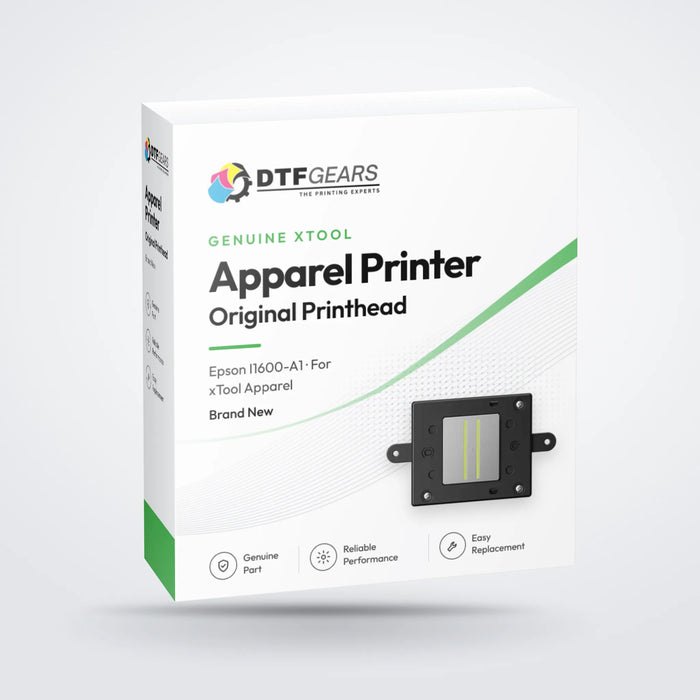
The xTool Apparel Printer Printhead (Epson I1600-A1) is a genuine OEM Epson PrecisionCore printhead engineered for high-resolution DTF apparel printing and aqueous ink applications. Designed for speed, accuracy, and long-term reliability, this original Epson I1600-A1 printhead delivers sharp detail, smooth gradients, and consistent ink output—making it ideal for professional DTF printers, white ink systems, and commercial apparel production.
Key Features & Benefits
Genuine OEM Epson I1600-A1 Printhead
Original Epson-manufactured printhead, fully compatible with the xTool Apparel Printer, ensuring stable performance, accurate color reproduction, and long service life.PrecisionCore MEMS Technology
Advanced Epson PrecisionCore technology with high-density MEMS nozzles produces perfectly round ink droplets, ensuring precise placement, sharp text, and clean edges at high speeds.Variable Droplet & Grayscale Printing
Epson's Variable Sized Droplet Technology (VSDT) supports multi-level grayscale output, delivering smooth gradients, consistent ink density, and improved image quality—especially critical for white ink DTF printing.High Resolution & Fine Detail
Features 1,600 nozzles (4 rows × 400 nozzles) with a native resolution of 600 DPI, producing ultra-fine details with a minimum droplet size of 3.8 picoliters.Built for Aqueous & DTF Ink Systems
Optimized for water-based inks, including CMYK and white ink, with excellent durability and stable ink ejection for continuous production environments.Technical Specifications
- Product Name: Epson I1600-A1 Printhead
- Ink Type: Aqueous (Water-Based / DTF)
- Number of Nozzles: 1,600
- Nozzle Configuration: 4 rows × 400 nozzles
- Nozzle Pitch: 1/300 inch
- Nozzle Resolution:
- 300 npi per row
- 600 npi using two rows
- Maximum Color Channels: 4 colors
- Effective Print Width: 1.33 in (33.8 mm)
Droplet Ejection Performance
- Binary Mode: ~6 pL at up to 40 kHz
- 3-Level Grayscale: ~6.3 / 12.3 pL at 21.6 kHz
- 4-Level Grayscale: ~3.8 / 6.1 / 9.4 pL at 21.6 kHz
- Minimum Droplet Size: Approx. 3.8 pL
- Ink Viscosity Range: 3–4 mPa·s
- Dimensions (W × D × H): 2.72 × 2.33 × 1.40 in
- Weight: Approx. 3 oz
Ideal For
- xTool Apparel Printer replacement printhead
- DTF printer printhead upgrades
- White ink DTF printing
- Professional apparel and textile printing
- Commercial aqueous ink printing systems
When does the xTool Apparel Printer print head need replacing?
Run the printer's cleaning and a nozzle check first. Replace the print head when these stay after several cleanings:
- Nozzle check still shows gaps or missing lines after several head cleanings and a capping-station clean.
- Banding or streaks that return right after cleaning.
- White ink not firing even with fresh, stirred ink and clean dampers.
- Ink deflection (drops spraying sideways), or a head damaged by a crash or dried ink.
Is this the right print head for my printer?
Your printer Order Price xTool DTF Apparel Printer / Apparel Printer Plus This xTool Apparel Printer print head (Epson I1600-A1, customized by xTool for its carriage) $999 Other I1600 DTF printers Standard Epson I1600-A1 print head $649 xTool O1 Omni xTool O1 Omni print head kit $399 Keep your new head healthy with the xTool Apparel Printer cleaning kit and genuine xTool Selected DTF inks. Need a printer? See all xTool Apparel Printer bundles.
xTool Apparel Printer print head replacement: what to expect
- Power off and unplug the printer. Have lint-free swabs and cleaning solution ready.
- Remove the old head: release the dampers and ribbon cables, then unscrew the head from the carriage.
- Fit the new head: seat it squarely, reconnect the cables gently, then re-attach the dampers.
- Prime and test: run an ink fill or head cleaning, then print a nozzle check.
- Align: run head alignment (and bi-directional alignment) before production.
Always follow your printer maker's manual for the exact steps. If the printer reports a head error after fitting, power off and re-seat the ribbon cables.
Not sure which head your printer uses? Use our print head compatibility finder, browse every DTF and UV print head, or call (+1) 877-576-8415 and we'll confirm it before you order.
xTool Apparel Printer print head: quick answers
How much is an xTool Apparel Printer print head replacement?
The genuine xTool Apparel Printer print head (Epson I1600-A1) is $999 at DTF Gears, down from $1,099.
Can I use a standard Epson I1600 head in the xTool Apparel Printer?
No. xTool customizes the I1600-A1 to fit its carriage, so order this xTool Apparel Printer print head.
Does it fit the xTool Apparel Printer Plus?
Yes. It is the print head for the xTool DTF Apparel Printer line. Call us if you want us to confirm your model first.
Is this a genuine Epson print head?
Yes. It is a genuine Epson I1600-A1 PrecisionCore head, customized by xTool for the Apparel Printer.
How do I know if the print head is bad or just clogged?
If nozzle-check gaps clear after cleaning, it is clogged. If the same lines stay missing after several cleanings, the print head likely needs replacing.
-
Epson
Genuine Epson I3200-U1 UV Printhead – 3,200 Nozzle Unlocked Printhead
The Epson I3200-U1 UV Printhead is a high-productivity, 1.33-inch-wide PrecisionCore MicroTFP printhead designed specifically for compatible UV ink printing systems. With 3,200 nozzles, 600 npi high-density resolution, and an effective print width of 33.8 mm (1.33 inches), the I3200-U1 delivers a combination of high productivity, detailed image quality, and precise ink placement.
This unlocked Epson I3200-U1 UV printhead is designed for compatible UV printing applications and is also known in some markets as the Epson I3200-S1 HD.
Manufacturer: Epson
Manufacturer Part Number: I3200-U1
Printhead Type: PrecisionCore MicroTFP
Ink Type: UV Ink
Configuration: UnlockedKey Features
- Genuine Epson I3200-U1 UV printhead
- 3,200-nozzle architecture with 8 nozzle rows
- 600 npi high-density resolution
- 1.33-inch (33.8 mm) effective print width
- PrecisionCore MicroTFP technology
- Designed for compatible UV ink printing systems
- Unlocked printhead
- Variable droplet technology for detailed image reproduction and smooth tonal transitions
- Also known as Epson I3200-S1 HD in certain applications and markets
- Manufactured in Japan
Product Specifications
Specification Details Manufacturer Epson Manufacturer Part Number I3200-U1 Printhead Family Epson I3200-U1 UV Alternate Name I3200-S1 HD Ink Type UV Technology PrecisionCore MicroTFP Printhead Status Unlocked Nozzle Count 3,200 Nozzle Rows 8 rows Nozzle Pitch 1/300 inch Nozzle Resolution 300 npi per row / 600 npi for 2 rows Maximum Ink Colors 4 colors Effective Print Width 33.8 mm / 1.33 inches Dimensions 69.1 × 59.4 × 35.6 mm Weight Approximately 82 g Viscosity Range 5–7 mPa·s Country of Origin Japan Manufacturer Warranty Included Droplet Ejection Performance
The Epson I3200-U1 supports multiple droplet sizes for precise UV ink placement:
- Binary: 5 pl at 43.2 kHz
- 3-Level Grayscale: 6 / 12.5 pl at 21.6 kHz
- 4-Level Grayscale: 3.8 / 6.2 / 9.3 pl at 21.6 kHz
Why Choose the Epson I3200-U1 UV Printhead?
3,200-Nozzle Architecture
The 3,200-nozzle configuration provides high nozzle density for efficient, high-productivity UV printing applications.
PrecisionCore MicroTFP Technology
Epson's PrecisionCore MicroTFP technology is engineered for precise and consistent ink droplet placement, supporting detailed and reliable print output.
600 npi High-Density Resolution
With up to 600 npi resolution across two nozzle rows, the I3200-U1 supports detailed graphics and smooth image reproduction.
1.33-Inch Effective Print Width
The 33.8 mm (1.33-inch) effective print width makes the I3200-U1 suitable for multi-printhead configurations used in professional UV printing systems.
Variable Droplet Technology
Multiple droplet sizes provide control over ink placement and help produce fine details, smoother gradients, and consistent tonal transitions.
Unlocked UV Printhead
The unlocked I3200-U1 is intended for compatible printer systems designed to operate with an unlocked Epson UV printhead configuration.
Printer Compatibility
The Epson I3200-U1 UV printhead is used in a variety of compatible UV printing systems. Compatibility depends on the printer's electrical configuration, firmware, ink system, printhead configuration, and manufacturer specifications.
Compatible or commonly supported printer models include:
- Audley ADL6003UV
- Infiniti FY-1800H
- Infiniti FY-3200MS/I4
- Infiniti FY-A3701
- Infiniti FY-A3701F
- Infiniti FY-UV1603
- Infiniti FY-UV1800W
- Infiniti FY-UV1803
- Nocai NC-Cyclone-400
- Nocai NC-UV0609MAX
- Signstar BT-1804UN
- Signstar UV-6090
- Signstar UX-1802
- Sinocolor FB-0906D
- Sinocolor FB-2513S
- Sinocolor HUV-2000S
- Sinocolor HUV-2600S
- Sinocolor HUV-3200S
- Sinocolor UE-2000D
- Sinocolor UR-2000S
- Sinocolor UR-3200S
- Sinocolor UR-5000S
- Sinocolor UV-1260S
- Sinocolor UV-740S
- Sublistar UV 6090F Turbo
- Sublistar UV-300VB
- Sublistar UV-604
- Sublistar UV-60R Star IV
- Sublistar UV-60R Turbo
- Textek UV-F604
- Xante X-33
Compatibility Note: The list above is provided as a reference. Always verify the exact printhead model and configuration required by your printer before ordering. The Epson I3200-U1 UV is not automatically compatible with every I3200-series printer.
Installation Recommendation
We recommend replacing the printhead cables when installing a new printhead. Using worn, damaged, or previously compromised cables may increase the risk of electrical issues or damage to the new printhead.
Professional installation is recommended. Always follow the printer manufacturer's installation, cleaning, ink-loading, and maintenance procedures.
Warranty & Return Policy
Manufacturer Warranty: This printhead carries a manufacturer warranty, subject to the applicable manufacturer's warranty terms.
Due to the nature of printing inks and fluids, printheads are considered consumable/service components.
Once the printhead has been installed or exposed to ink, we cannot accept returns, exchanges, or refunds. All sales are final after installation or use.
Please verify the exact printhead model, part number, printer compatibility, and ink configuration before installation.
If you are unsure whether the Epson I3200-U1 UV printhead is compatible with your printer, please contact us before placing your order.
When does an Epson I3200-U1 UV print head need replacing?
Replace the I3200-U1 when these stay after several cleanings with fresh UV ink:
- Nozzle check still shows gaps or missing lines after several head cleanings.
- Banding or streaks that return right after cleaning.
- White or varnish not firing even with fresh, agitated UV ink.
- Ink deflection (drops spraying sideways), or a head damaged by a crash or dried ink.
Printers that use the Epson I3200-U1 print head
The I3200-U1 is Epson's UV version of the I3200, used in 24" UV DTF and UV production printers, including the Audley 24" UV DTF printer (3 × I3200-U1).
It is for UV-curable ink only. For water-based DTF printers, order the Epson I3200-A1 print head. Keep UV heads out of direct light during fitting so ink doesn't cure in the nozzles.
Epson I3200-U1 UV print head replacement: what to expect
- Power off and unplug the printer. Have lint-free swabs and cleaning solution ready.
- Remove the old head: release the dampers and ribbon cables, then unscrew the head from the carriage.
- Fit the new head: seat it squarely, reconnect the cables gently, then re-attach the dampers.
- Prime and test: run an ink fill or head cleaning, then print a nozzle check.
- Align: run head alignment (and bi-directional alignment) before production.
Always follow your printer maker's manual for the exact steps. If the printer reports a head error after fitting, power off and re-seat the ribbon cables.
Not sure which head your printer uses? Use our print head compatibility finder, browse every DTF and UV print head, or call (+1) 877-576-8415 and we'll confirm it before you order.
Epson I3200-U1 UV print head: quick answers
How much is an Epson I3200-U1 UV print head?
The genuine Epson I3200-U1 UV print head (unlocked) is $1,399 at DTF Gears.
What is the difference between I3200-U1 and I3200-A1?
The I3200-U1 is built for UV-curable ink. The I3200-A1 is for water-based DTF ink. They are not interchangeable.
Which printers use the I3200-U1?
24-inch UV DTF and UV production printers, including the Audley 24-inch UV DTF printer with 3 I3200-U1 heads.
Is this I3200-U1 print head unlocked?
Yes. It is an unlocked genuine Epson head for compatible UV printing systems.
How do I protect a UV print head during replacement?
Work away from direct sunlight or UV light, keep the nozzle plate capped or covered, and prime it with ink straight after fitting.




No printheads match this filter.
Check the printhead model and part number against your printer before ordering. Printheads are final sale once installed or exposed to ink.